Tuesday, 17 June 2014


Samsung to Try Out Tizen Smartphone in Russia

A A  Text Size
Print Version
E-Mail Article
Samsung to Try Out Tizen Smartphone in Russia
Samsung appears to be edging away from Google with the announcement of a new smartphone that runs on the Tizen OS rather than on Android. The System Z has a long and difficult path ahead if its developers want to set it up as an independent smartphone system. "Historically [Samsung has] sucked with developers, which dramatically lowers their likely success here," said tech analyst Rob Enderle.

Are you delivering a seamless customer experience?
Read the free Salesforce white paper and discover how cloud-based service solutions can help you nurture better customer relationships in the new retail landscape.
 Download free report.
amsung this week officially launched its long-anticipated Tizen phone, at the Tizen Developer Conference being held in San Francisco through Wednesday.
One description of Tizen is that it's an open source Linux-based operating system from Samsung -- but that might be open to debate.
The Samsung Z Tizen phone initially will debut in Russia in the third quarter. In the meantime, Samsung will boost its efforts to attract developers to create apps for the operating system.
Products already running Tizen include Samsung's NX300M smart camera and the Systena Tizen tablet, both launched in October; and the Samsung Galaxy Gear 2 smartwatch, released in April.
The move to Tizen "is really about wresting control over the software that underpins [Samsung's] devices," Carl Howe, a research vice president at the Yankee Group, told LinuxInsider. "Samsung wants a platform that it can control instead of waiting to hear what comes out of Mountain View."

The Z's Specs

The Samsung Z has a 4.8-inch HD Super AMOLED display with 1,280 x 720 pixel resolution. It runs off an Intel 2.3 GHz quad-core processor.
It supports 2D and 3D graphics and has a built-in fingerprint sensor similar to the one in the Samsung Galaxy S5. It also has a heart rate sensor.
Other sensors include an accelerometer, a gyroscope, a compass, barometer and proximity sensors, as well as an RGB ambient light sensor.
The Samsung Z also has GPS Glonass. It supports WiFi 802.11 a/b/g/n HT40 and MIMO.
The Samsung Z has an 8-MP rear camera and a 2.1-MP front camera. It has 16 GB of internal memory, and a 64 GB microSD slot. It will be available in black or gold.
Tizen will let users browse the Web faster and use applications more effectively, according to Samsung -- but it did not say which OS it was comparing it to.

What's a Tizen?

Tizen grew out of work done by the Linux Mobile Foundation, which was founded by Motorola, NEC, NTT DoCoMo, Panasonic Mobile Communications, Samsung Electronics and Vodafone to work on an open, hardware-independent mobile OS.
LiMo and the Linux Foundation announced the Tizen project in September 2011.
In January of 2012, the Tizen Association replaced MeeGo, a Linux kernel-based free mobile OS project that was the love child of Intel's Moblin and Nokia's Maemo OSes, with the Linux Foundation's blessing.
Tizen is not a continuation of MeeGo; instead, it builds on Samsung Linux Platform, a reference implementation delivered within LiMo.

The Fuss About FOSS

Tizen is said to combine the best open source technologies from LiMo and the Linux Foundation while adding a robust, flexible HTML5 and WAC (Wholesale Applications Community) development environment.
However, some of the technologies used in Tizen reportedly have conflicting licenses.
"Samsung is a predatory company, and their model suggests their open source rhetoric is just that and little else," Rob Enderle, principal analyst at the Enderle Group, told LinuxInsider.
"Samsung benefits from open source, but it's not yet clear that they are becoming big contributors to that corpus of software," the Yankee Group's Howe pointed out. As a result, Tizen "will simply be a derivative work of open source."

Stumbling Toward the Market

Samsung's efforts to make Tizen a viable alternative to Android have not gone smoothly. NTT DoCoMo and other supporters have pulled out of the association.
However, the Tizen Association gained 15 new members in February and reportedly gained another 37 in May.
Samsung also has had problems attracting developers. It has promised a special promotional program for all devs to run for one year with the Smartphone Z's launch, and plans to host Tizen local app challenges in Russia and other markets.
"Historically they have sucked with developers, which dramatically lowers their likely success here," Enderle said, "but, if they try and fail with this, Android could suffer a serious hit anyway, because Samsung drives most of the Android market."
On the other hand, if Samsung's strategy succeeds, he suggested, "they plan to largely replace Android with Tizen, locking out companies like HTC." 

Tuesday, 10 June 2014

Apple-and-beats

Rumor : Apple to Include Beats Earphones With The New iPhone

BY: ABHI GUPTA 
Now this is just the kind of news that all the prospective iPhone buyers were waiting for. We have learnt that after the major 3.2 billion dollar acquisition of Beats by Apple, the company is going to include their earphones with the next iPhone.
The Dr.Dre and Jimmy Lovine created brand of music gear has become the staple across the music scene. This was Apple’s biggest acquisition till date as they remain conservative with their spending. This conservative approach helps them to put resources in R&D which then helps them to stand out from the crowd.
Apple had made it clear that it is not going to combine the brand. This is a good step as Beats has massive visibility and brand recognition especially its association with the Doctor of the Hip Hop world. Apple was already selling Beats gear at its store but it will reach a lot more people since one of the most recognized brands (Apple) starts selling it along with its most recognized gadget (iPhone).
Along with this, Apple might also try to bring some kind of integration with the Beats music service, which will be appreciated by many. The service lets you personalize music based on listening habits and recommendations from expert music curators. Though this is only a speculation at the moment but a Beats music integration with iTunes might help Apple to reclaim its youthful appeal.
Now as the Apple-Beats deal has been confirmed so the chances of a Beats earphones coming to you with your next iPhone box has increased. So if you were contemplating an iPhone purchase you might want to wait a couple of months, to get your BEATS on !
Google is in the groundon the roads and floating through the skies, and now it's looking beyond, by agreeing to the half-billion dollar cash purchase of a company that says it's "built and launched the world's smallest high­-resolution imaging satellite, which collects beautiful and useful images and video every day." Skybox Imaging (already signed up as aVirgin Galactic customer) says it started with a goal of tracking changes happening across the surface of the earth, while recent rumors from The Information suggest tech giants like Google and Facebook are in a space race as they try to connect the world to the internet and their various services. The satellite company's tech can immediately assist Google Maps / Earth, but Google says it could have other purposes too, like acting as a relay to spread wireless internet to places currently without service or where connections have been knocked out by disasters. The deal isn't quite done and must pass regulatory approval, but for a peek at what Skybox's satellites can do, check out a few of their YouTube videos embedded after the break.


Little robot helpers found a place in our hearts and homes in 2002 when iRobot introduced the Roomba. This house-cleaning 'bot definitely made for an odd addition to the company's existing lineup of space exploration, minesweeping and tactical support devices. But beyond the novelty factor, the first Roomba model wasn't an immediate success for the company.
After heading back to the drawing board, iRobot released a vastly improved model in 2004 called the Roomba Discovery. It had enhanced cleaning powers, longer battery life and was significantly smarter. The Discovery may not have been a true replacement to traditional vacuuming, but it definitely justified its cost and earned a solid customer base. It was also affordable, costing only a couple hundred dollars compared to competitor products like the2004 Electrolux Trilobite, which shot well past the $1,000 mark.
Whereas the first iteration of the Roomba spent most of its time traversing in ever-growing spirals and occasionally hugging walls and furniture edges, the Discovery had a better grasp of its environment. Its underbelly featured independently controlled wheels and a brushing mechanism for clearing away muck and mess that it stowed in an onboard, bagless bin. Sensors informed the Discovery when it had given most of a room enough of a cleaning, and even helped it return to the charging dock when it was finished. The Discovery was even smart about battery management: If its two-hour battery life was waning, it would head to the dock early to charge up.
Although the Discovery was better equipped to sense its surroundings, it wasn't foolproof. On many occasions, owners would find their confused robovac repeatedly seeking an escape from a wall corner, caught between table legs, or held up by wires or various other household items. And while it was a fairly successful solution for light housekeeping, the Discovery wasn't meant to thoroughly clean an entire house. It was designed merely to do a dry sweep of rooms, not mop floors. To cover that functionality gap, iRobot expanded the line in 2005 to include the Scooba, a model made specifically for washing and scrubbing floors.
iRobot's success with its Roomba and Scooba lines eventually led to a variety of spin-offs with dedicated functions. In the late aughts alone, the company released the Looj for gutters, the Verro for pools, the Dirt Dog for industrial workspace messes and the Roomba Pet Series. The Roomba line may have splintered off over the years to service different cleaning needs, but one thing has remained consistent: its ability to entertain pets.


Workers the Fukushima nuclear plant
No one can blame Tokyo Electric Power Co. (TEPCO) for the earthquake and tsunami that wrecked its Fukushima nuclear plant in 2011. Since then, however, the company has been accused of having a "weak sense of crisis" in responding to the accident's many knock-on effects. This includes the leakage of contaminated groundwater that passes under the damaged plant and into the Pacific Ocean -- something that is happening right now at a rate of 400 tons per day. This week, after more than a year of back and forth, TEPCO has finally managed to get the Japanese nuclear regulator's approval to create a massive wall of frozen soil to hold the groundwater back.
At the government's expense, a refrigerant chemical will now be passed through an underground network of pipes, stretching for almost a mile underneath the plant, in the hope of cutting leakage down by around two thirds. A 10-meter test wall has already proven effective, but this is unlikely to be the end of the story: There's a risk the frozen soil could thaw during the wall's expected seven-year life span, or that it could cause areas of earth to sink. Meanwhile, nobody has so far been able to predict the long-term impact of the radiation that has already made its way into the sea, and much of the land around Fukushima is still home to nothing but ghost towns.
Google's
Google Flight Search is fine if you already have a destination in mind, but what if you simply want to sate your wanderlust? That's where a new "I'm Feeling Lucky" button comes into play. Hit that and the search tool will suggest a random place to go; if you're not feeling quite that spontaneous, you can set budget and time limits. Google has also added some tools for those willing to do some legwork, including a full-screen exploration mode and a region browser that suggests trips within the boundaries you've chosen. All the new features should go live today, so you now have plenty of opportunities for spur-of-the-moment expeditions.

Wednesday, 2 April 2014

Review Lenovo IdeaTab A3000-H Table

BY ABHISHEK GUPTA, 09/25/2013
Dual SIM card tablet. The A3000 is another model in the IdeaTab series. Its distinguishing feature is the dual SIM card function -- a rare find in tablets. The device also has a quad-core SoC from Mediatek. Here’s to hoping that this chip is capable of more performance than the dual-core processor at work in the mediocre IdeaTab A1000.
Ads by Google
New HP® VoiceTab Series - www.hp.com/in/voicetab
With voice calling, Android 4.2.2, 3G, Dual SIM & more. Know more!
New Samsung Tab 3 Neo - www.samsung.com/in/GalaxyTab3Neo/
Now Experience incredible grip & superior performance on the go!
For the original German review, see here.
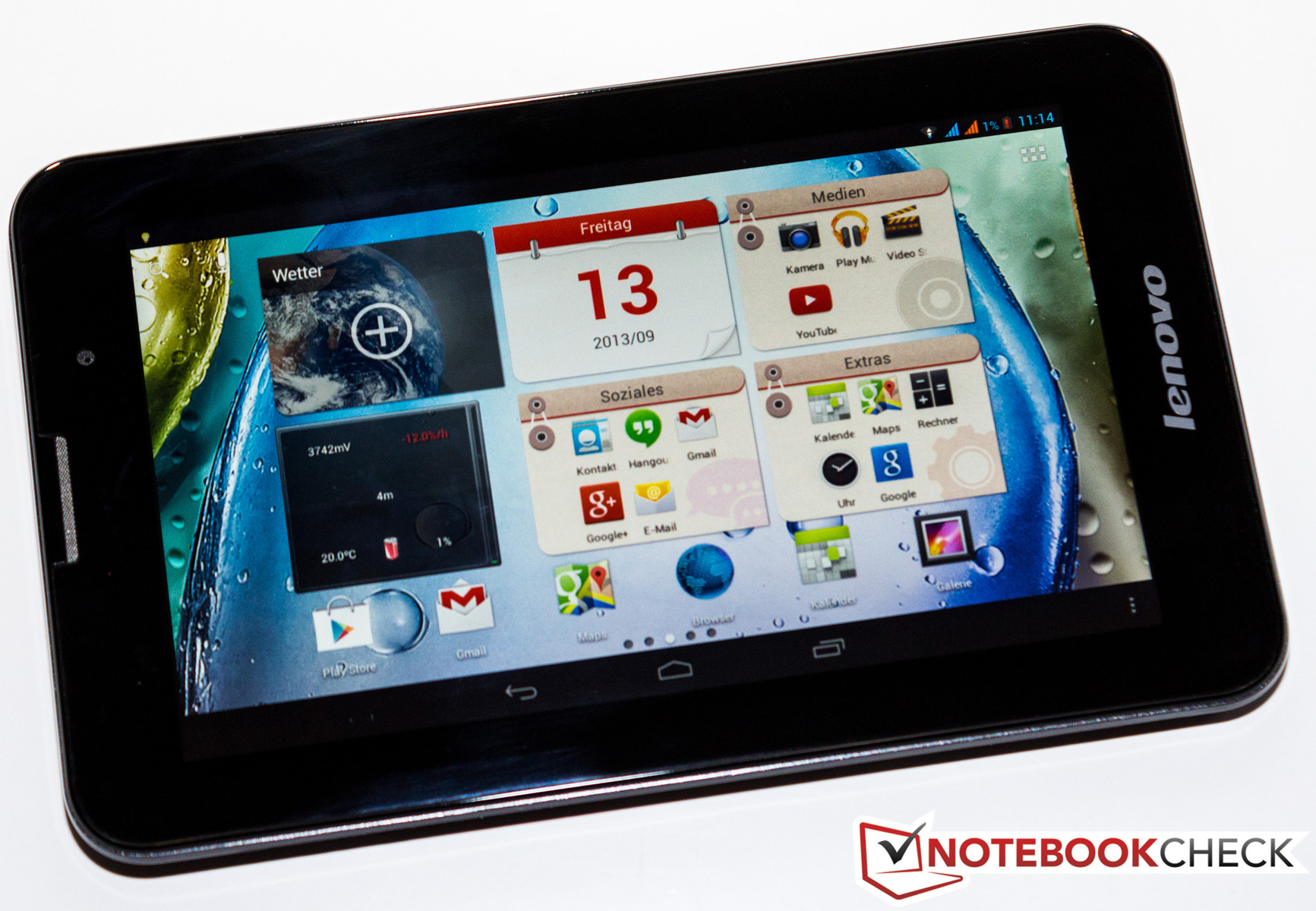
With the IdeaTab A3000, Lenovo tosses another 7-inch tablet onto the market. We recently thoroughly tested the IdeaTab A1000 (also 7-inches) and found it to be generally unimpressive. The device currently up for review is once again an entry-level model, just like the A1000. The A3000 has a considerably higher recommended retail price (199 Euros, ~$270), but it also received a fairly extensive makeover. For instance, the tablet now has a receiver for wireless internet at UMTS speed and has a quad-core SoC at its command. Lenovo also enhanced the back side of their device with a 5 MP camera.
Are these updates enough to change our overall assessment of the device and convince us to recommend it for purchase? Find out in the following review.

Case

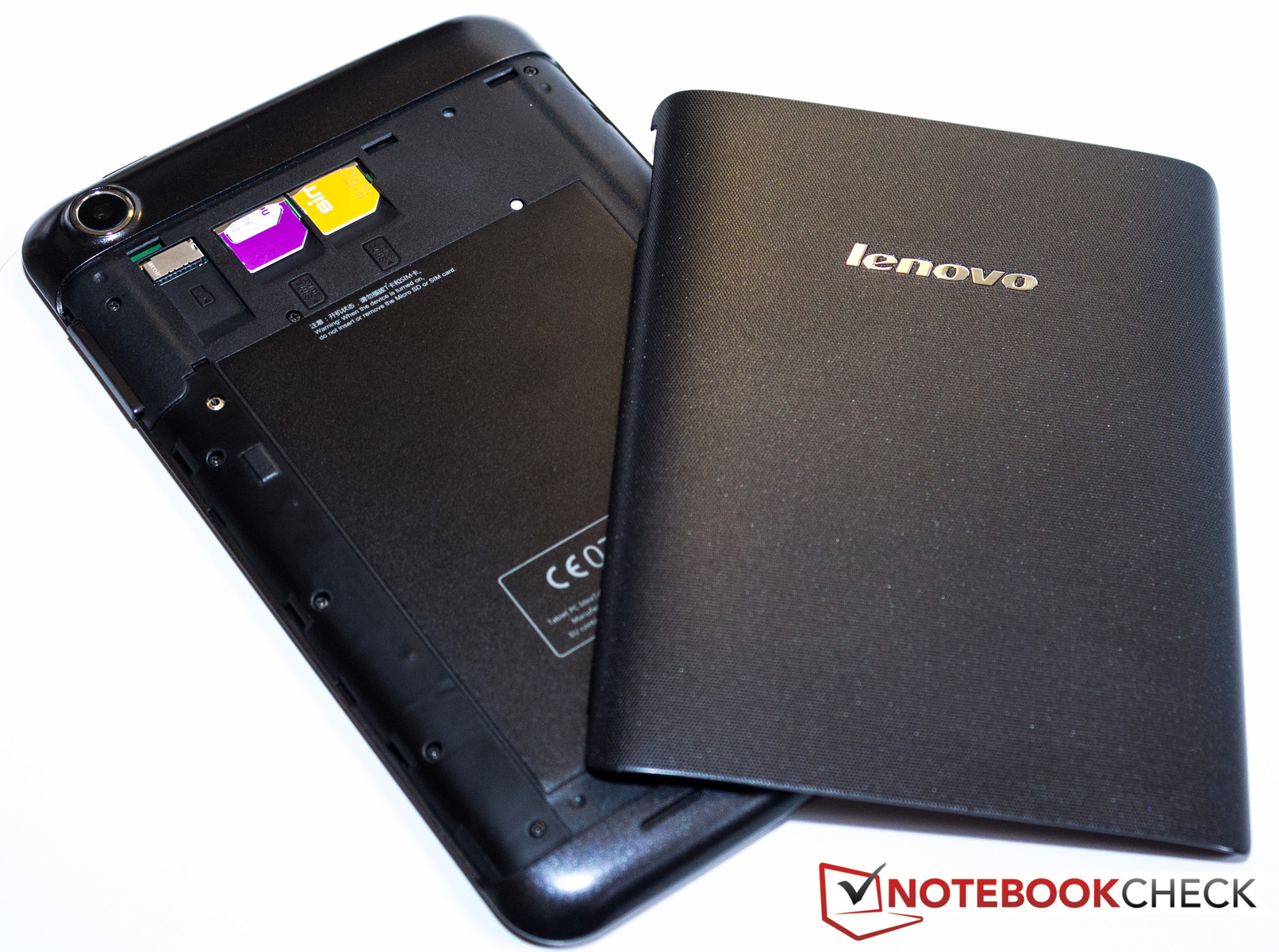
The SIM slots are under the battery lid.
From a distance, the A3000 and the A1000 look very similar -- especially when you look at the front side. If you inspect the two 7-inch devices more closely, you notice a few small differences. For instance, the speaker at the top of the tablet is a little shorter lengthwise. On the back side, however, we see something exceedingly rare in a tablet: The back cover can be completely removed, providing direct access to the battery, micro SD card slot and the two SIM slots. Even though the battery is so easily visible, it's still screwed in and covered with a seal, so it can't be simply removed. Like the whole case, the back cover is made of plastic. All in all, the tablet feels about as stable as the A1000, probably partly because its size is almost identical (194 x 120 x 11 mm; ~7.64 x 4.72 x 0.43 inches).  At 339 grams (~0.75 pounds), the A3000 only weighs a tiny bit less. As a result, the two tablets can't be easily distinguished by their size or weight. The A3000's structured and textured battery lid, which stands in contrast to the rest of back case, is the main feature that gives the new device a high-quality look compared to its cheaper counterpart.

Connectivity

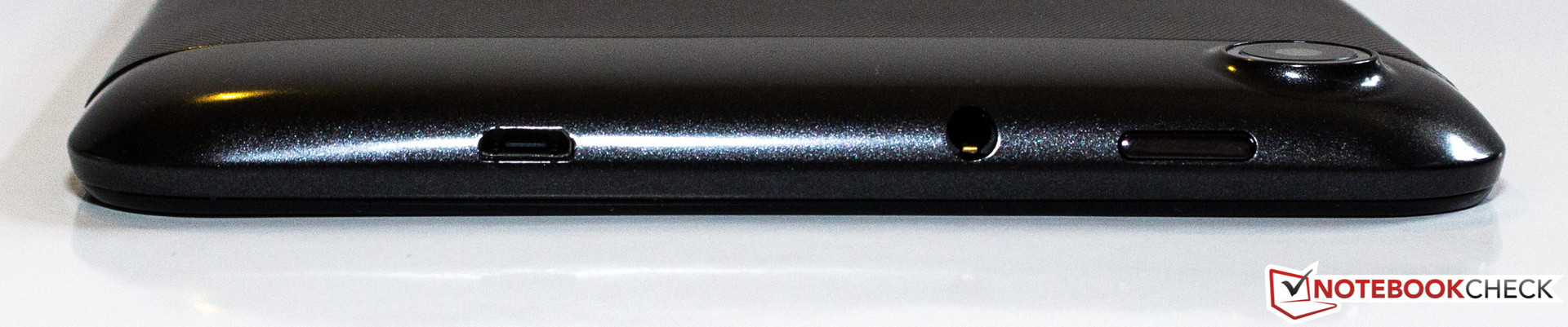
In terms of the tablet's external connectivity features, nothing has changed. The audio jack is still on the top of the device, along with the power button and the micro USB port. There are neither keys nor ports on the bottom and left sides of the tablet. The only feature located on the right side is the volume rocker.
The micro SD card slot enables the user to expand on the 16 GB of internal memory. In our IdeaTab A1000 review, we expressed dissatisfaction with the poorly partitioned internal memory -- of the system memory, only 1.49 GB remained open for downloaded apps. Lenovo eliminated this problem in the A3000. The tablet now has only one (visible) partition with 13.08 GB of free space that can be crammed full with apps and games.
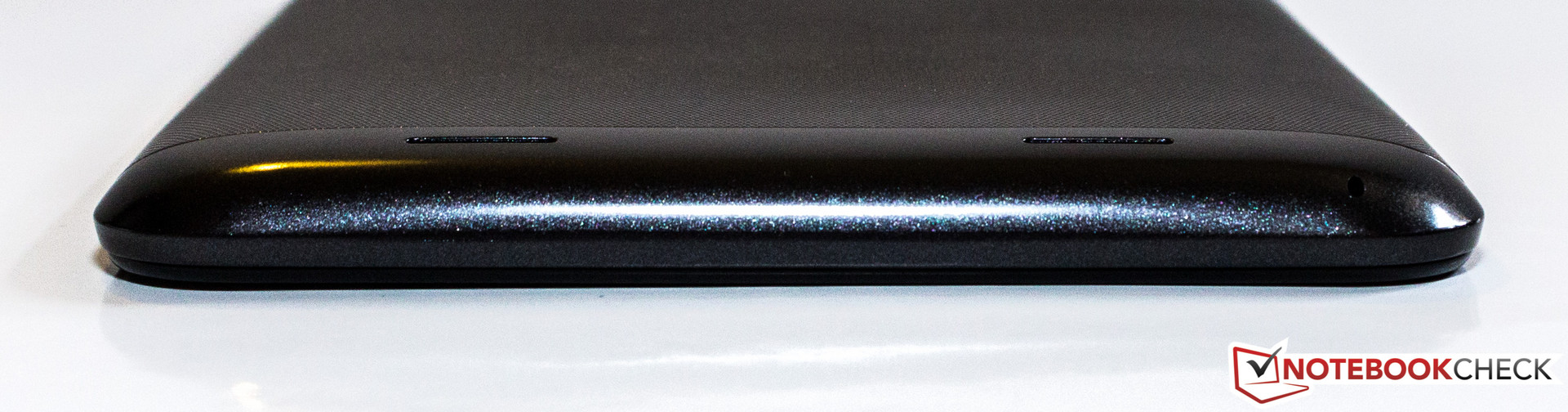
No connections on the bottom side.
The volume rocker is located on the left.
Top side: 3.5 mm jack, Micro USB port, power button.
The left side is free of connections and keys.

Software

The software Lenovo selected for their new device is Google's Android version 4.2 (Jelly Bean). As was true of the IdeaTab S6000 and A1000 we reviewed, the interface is very reminiscent of the barely modified versions that run on the Google Nexus 4, for example. The developers only made minor adaptations to the system settings, just like we saw with the S6000 and A1000.
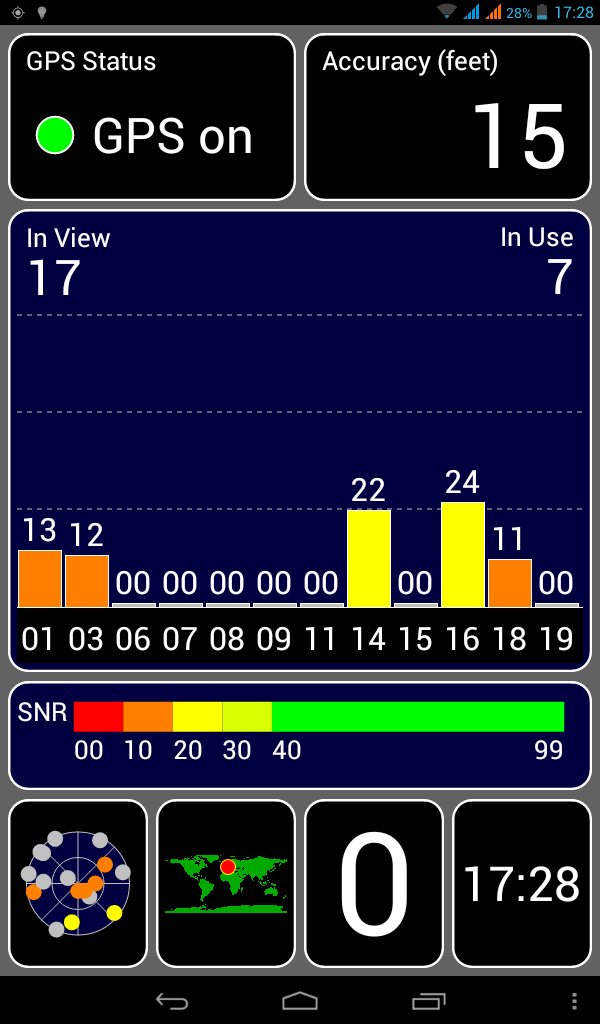
Good reception, even indoors.

Communication & GPS 

A main feature of the A3000 is its built-in UMTS module with dual SIM function. The two SIM card slots (normal size) are located above the battery and easily accessible via the removable back cover. There is one big difference between the two slots: Slot 1 is capable of establishing a UMTS connection, whereas slot 2 can only make a phone connection. If both SIM cards are installed, in the system settings the user can select which card should be responsible for which function (receiving SMSs, taking calls). Within the user's home network, the tablet generally establishes internet connections via the WLAN module. This module transmits according to the standard 802.11 b/g/n. The reception range is similar to that of the A1000 -- not great. The device can struggle with a connection even when the wireless router is located on the same floor. But this problem isn't as dire as it was with the A1000, since the A3000 switches directly to the cellular network and sustains that connection well. To transmit data over short distances, the A3000 has Bluetooth 4.0 at its command.
Even though we activated the GPS module indoors on a very cloudy day, the module quickly established a connection with enough satellites to determine our location -- with reasonable accuracy. We didn't experience a single unexpected break in the connection at any point in our test.

Cameras & Multimedia

Above the removable back cover, you'll find the 5 MP main camera. The sensor on the front side of the device, however, has a resolution of a meager 0.3 MP and is primarily intended for video calls. Neither camera supports an LED flash.
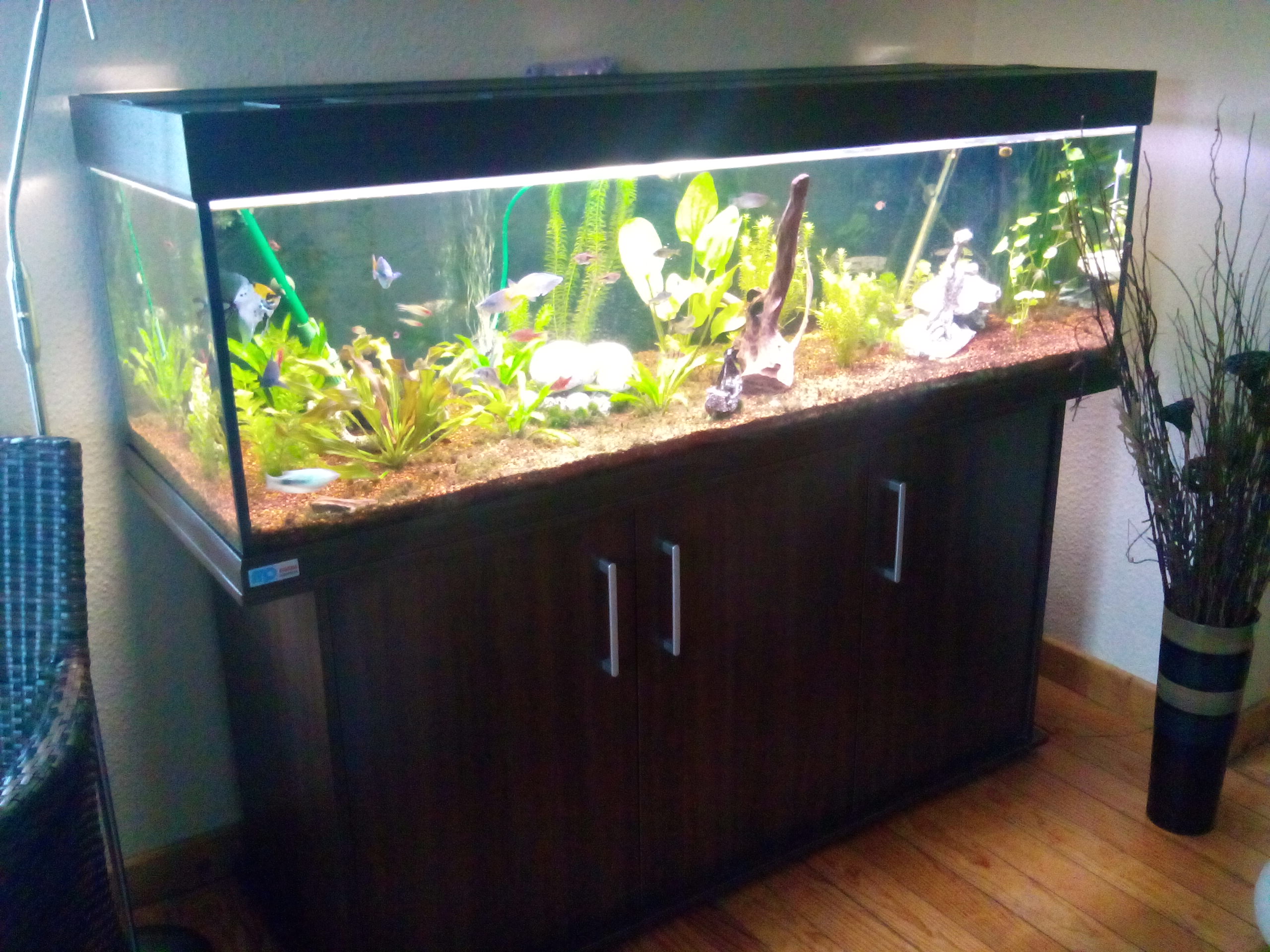
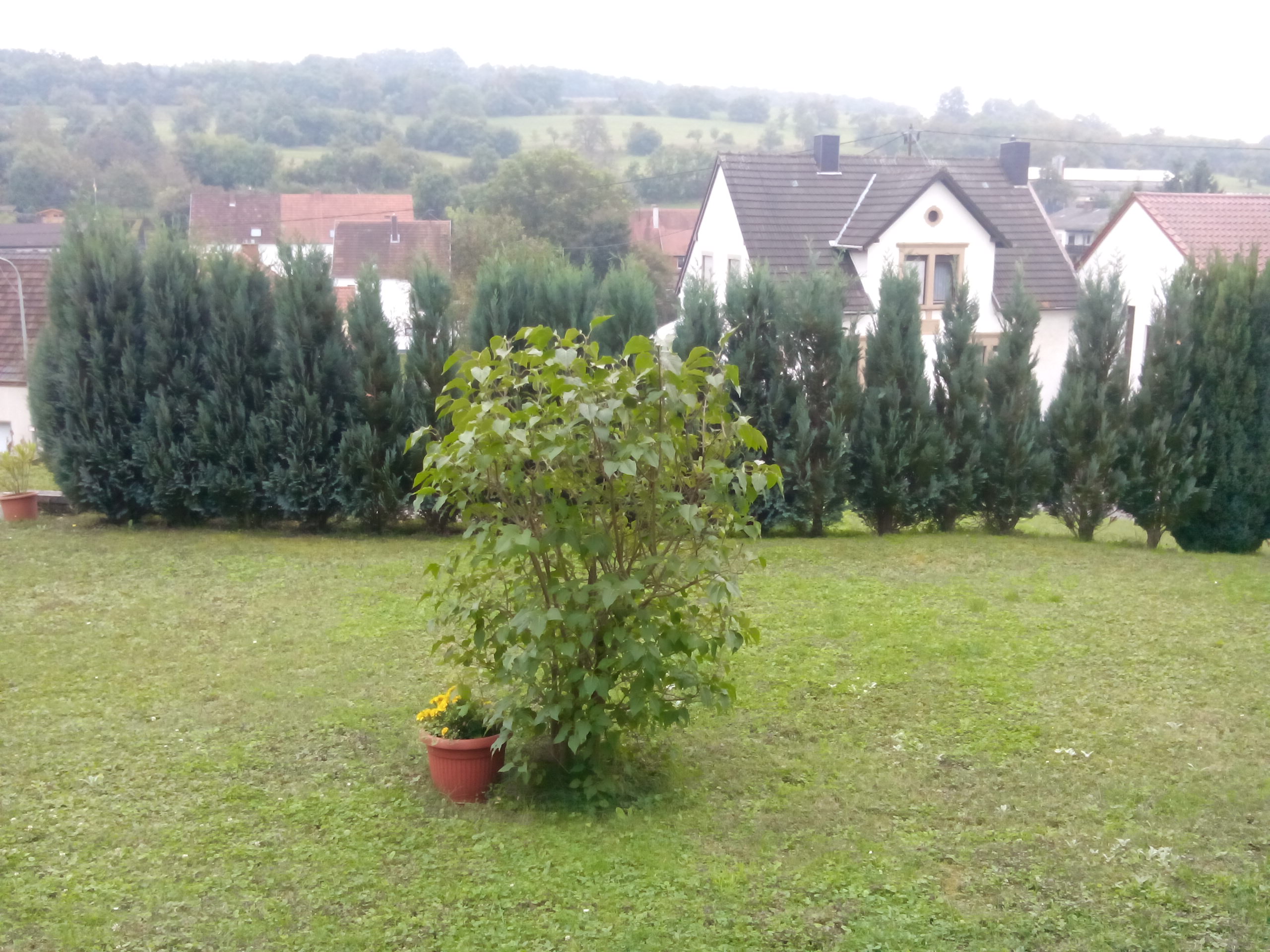
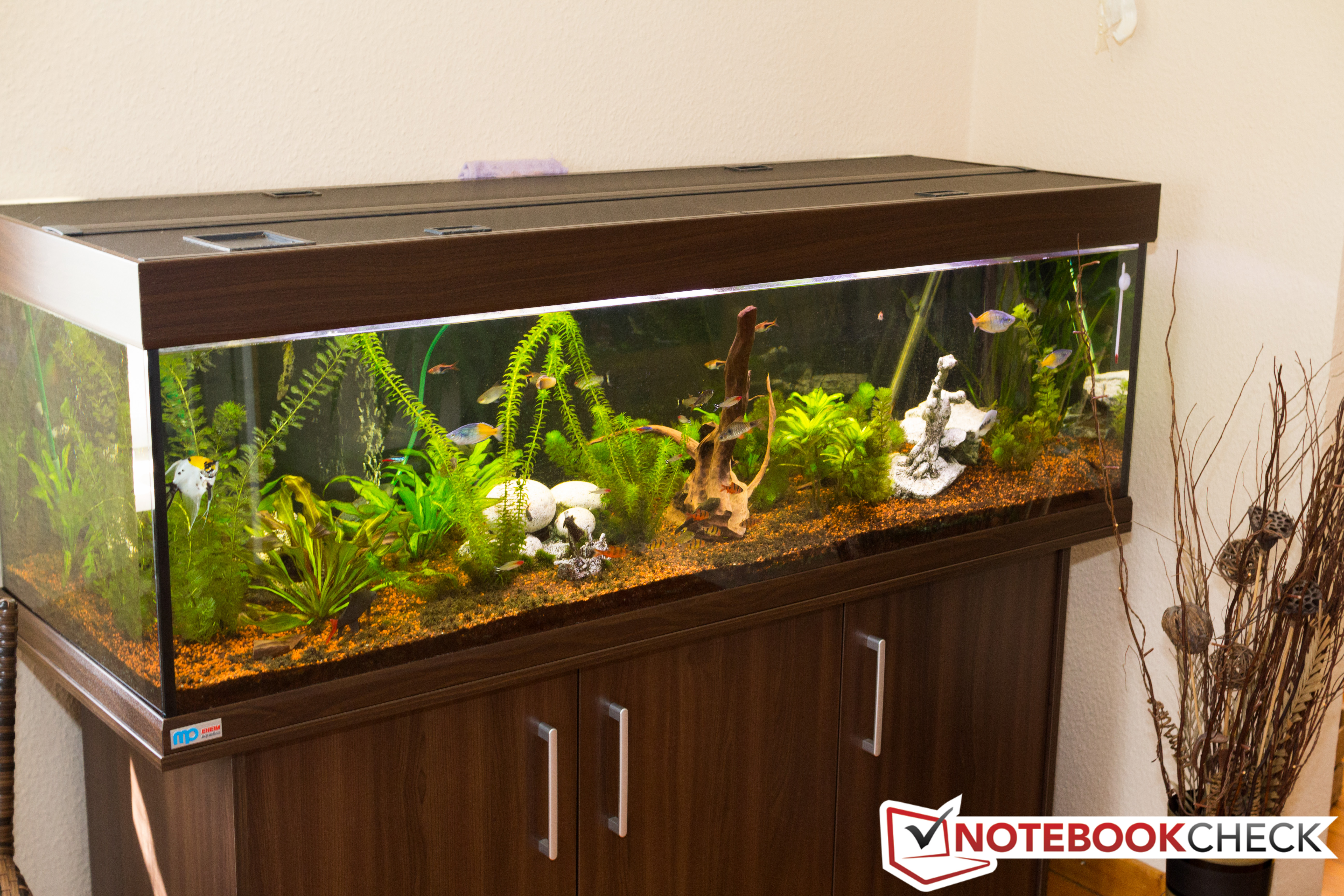
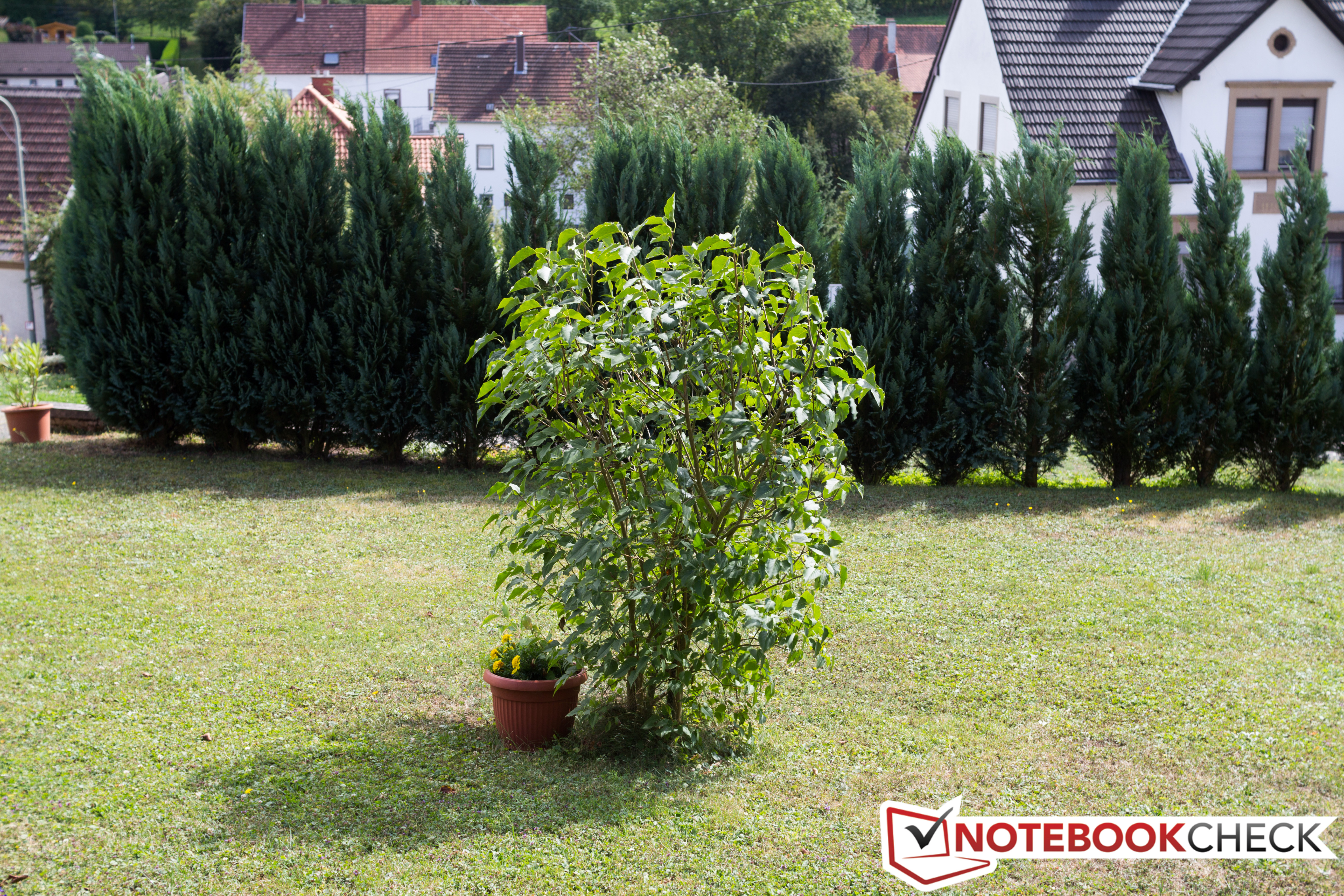
When capturing images indoors, the main camera's small sensor quickly reaches its limits. As soon as the ambient light grows dim, the pictures instantaneously lose their sharpness. Outdoors the camera's snapshots are much, much better. The level of detail is decent and the colors match those from our reference camera fairly well.
Main camera: 5 MP
Main camera: 5 MP
Main camera: 5 MP
Main camera: 5 MP
Reference camera: Canon EOS 60D, 18 MP, Automatic

Accessories & Warranty

The packaging contains nothing spectacular. Alongside the tablet, all you'll find is a modular power supply and a paper quick-start guide.
Like the other models, the A3000 has a 12 month warranty for the main device. The battery is under warranty for 6 months.

Input Devices & Operation

When it comes to the tablet's reaction time and display accuracy, we have little to complain about. The only minor issue is the gyro sensor, which ideally would take a little less time to rotate the display image by 90° or 180°. The capacitive display can interpret input from up to five fingers simultaneously.

Display

IPS panel, but low resolution.
With the A3000, Lenovo brings a 7-inch tablet to the market that possesses an IPS display with stable viewing angles. Unfortunately, like its cheaper sibling, the display's resolution is still a meager 1024x600 pixels. Using the display size and resolution, we calculate a pixel density of about 170 PPI. To draw a helpful comparison: With the same diagonal display measurements, the current Nexus 7 2013 reaches a pixel density of 323 PPI -- thanks to its Full HD resolution.
At 398 cd/m², the tablet's display's brightest area is in the center of the screen. The average brightness comes to 362.2 cd/m² and is 85% similar across the screen. The display's acceptable black value (0.49 cd/m²) is responsible for the screen's satisfactory contrast of 812:1.


367
cd/m²
359
cd/m²
347
cd/m²


366
cd/m²
398
cd/m²
361
cd/m²


347
cd/m²
378
cd/m²
337
cd/m²


Information
X-Rite i1Pro 2
Maximum: 398 cd/m²
Average: 362.2 cd/m²
Brightness Distribution: 85 %
Center on Battery: 398 cd/m²
Black: 0.49 cd/m²
Contrast: 812:1
Distribution of brightness
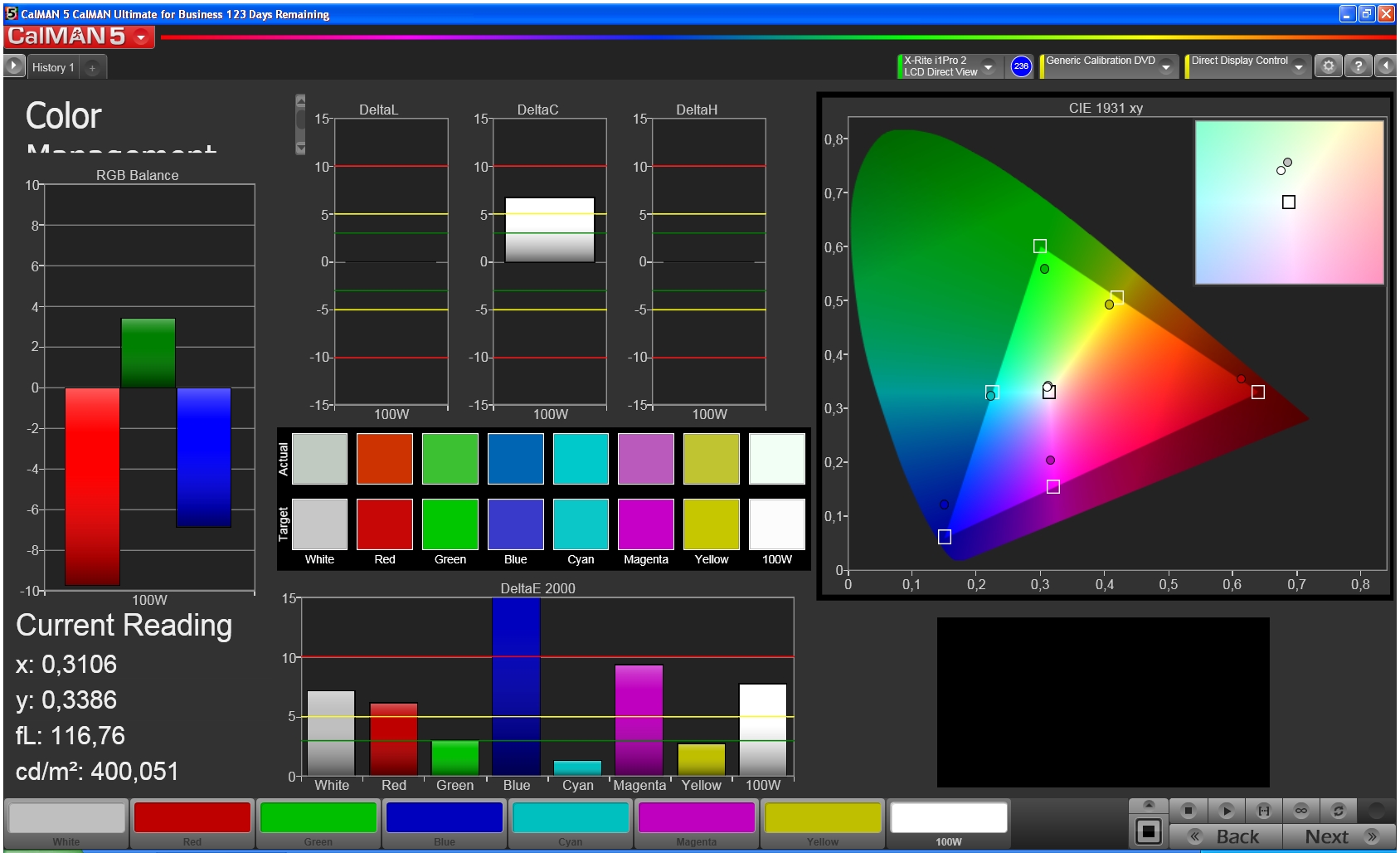
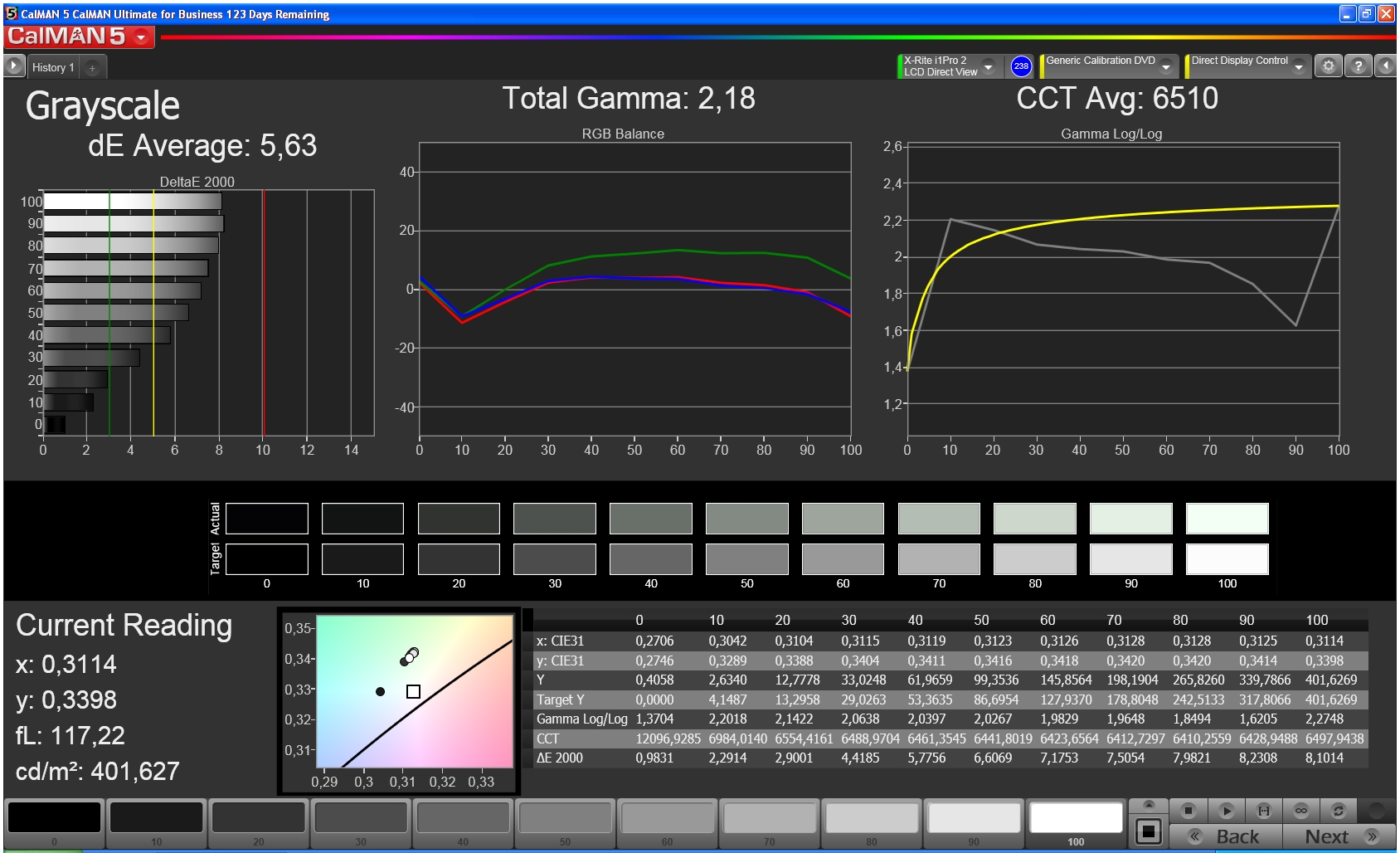
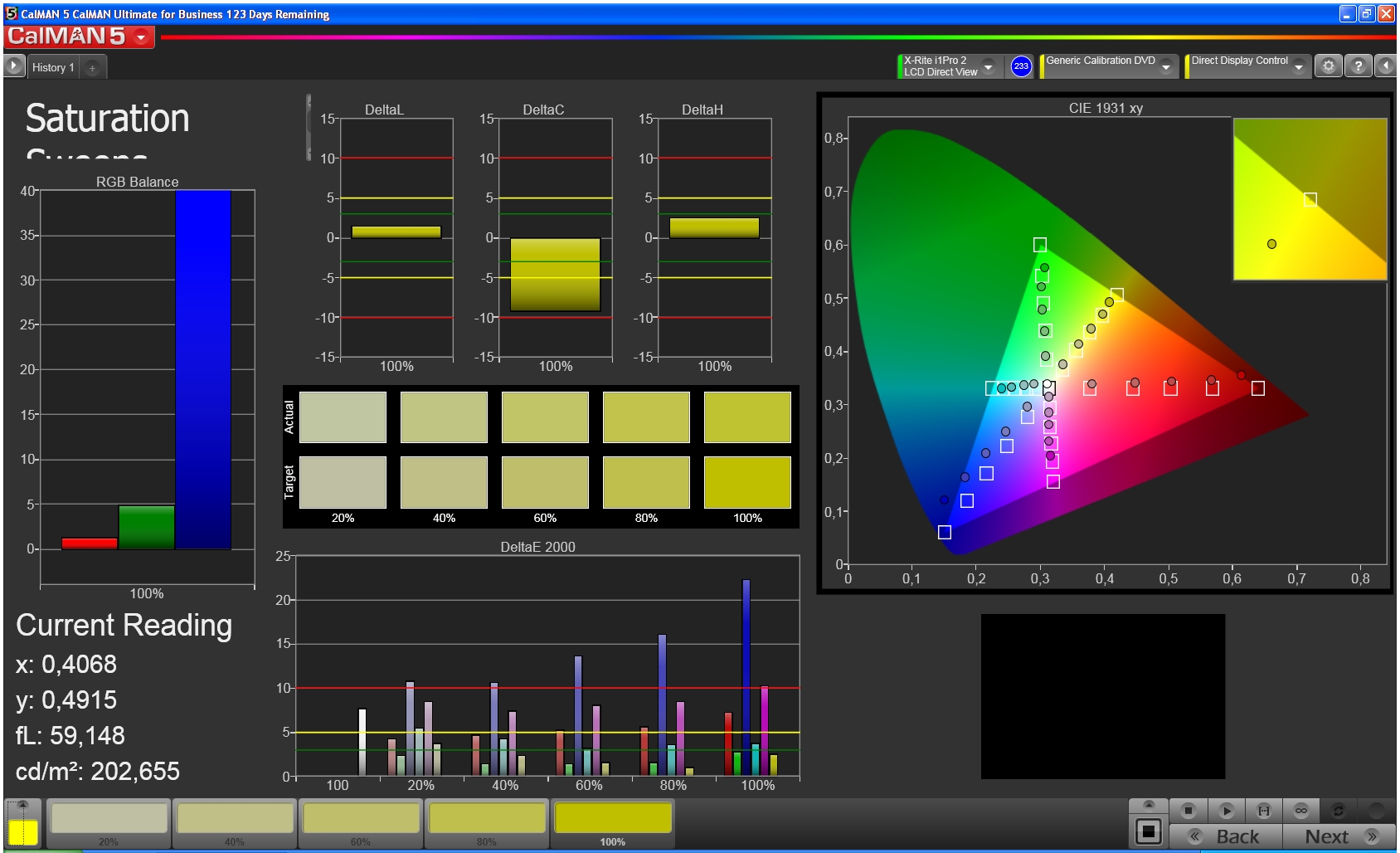
We used CalMAN 5 software to take a closer look at the display's properties, and discovered that reds and blues are rendered too palely. At 5.6, the average DeltaE 2000 value is too high and is reflected in that some of the colors deviate enough from the ideal that they can also be evaluated as another color. The dark gray tones in the grayscale approach the ideal values, but the lighter the gray, the bigger the DeltaE deviation from the target value.
Color reproduction
Color reproduction
ColorChecker
ColorChecker
Grayscale reproduction
Color saturation
Color saturation
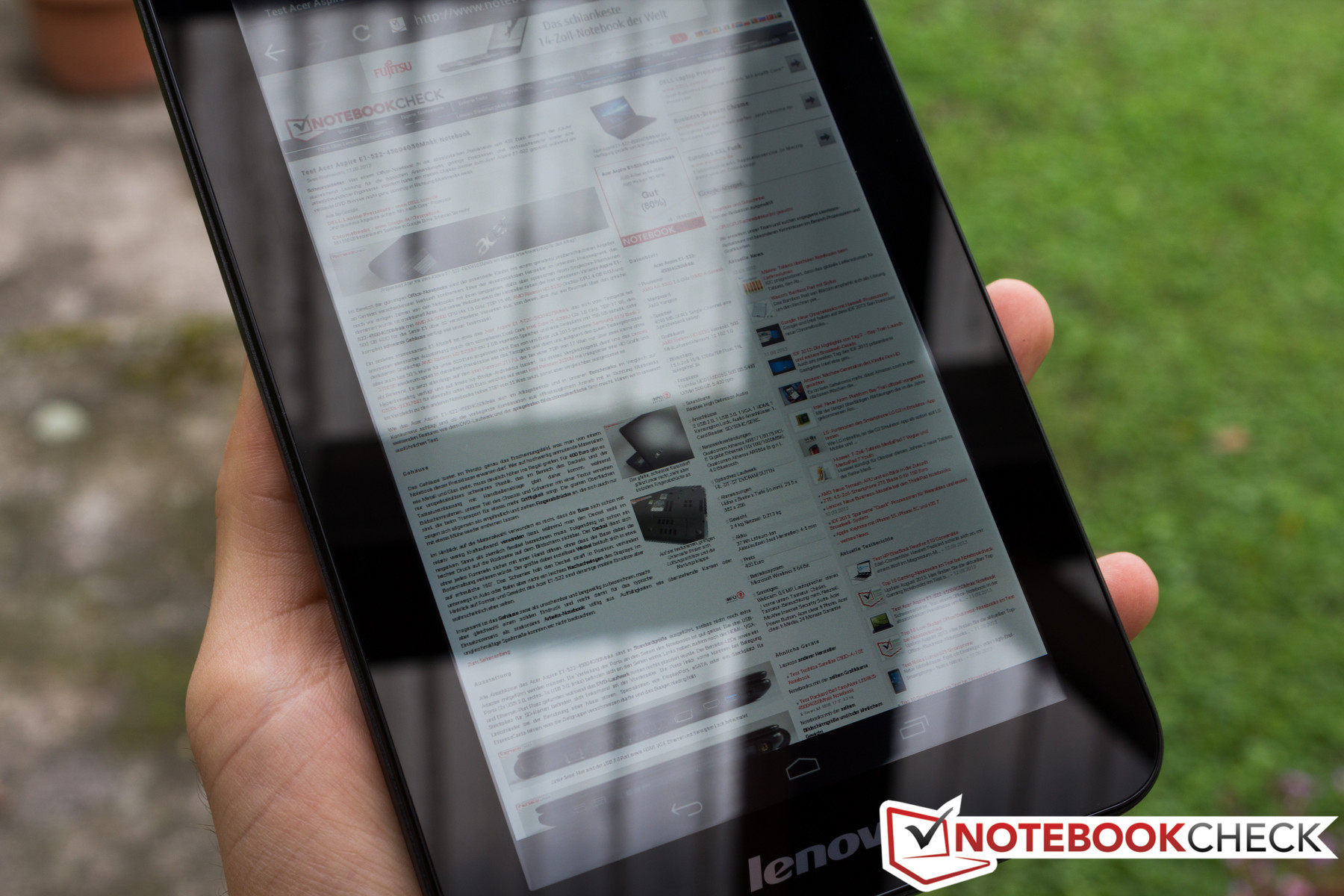
Because the display's contrast is satisfactory and its average brightness is high, the tablet does well outdoors. As long as the sun's rays aren't directly hitting the screen, the display content is easily visible. This is especially true if you occasionally clean residual fingerprints off the screen and cover it with a matte screen protector.
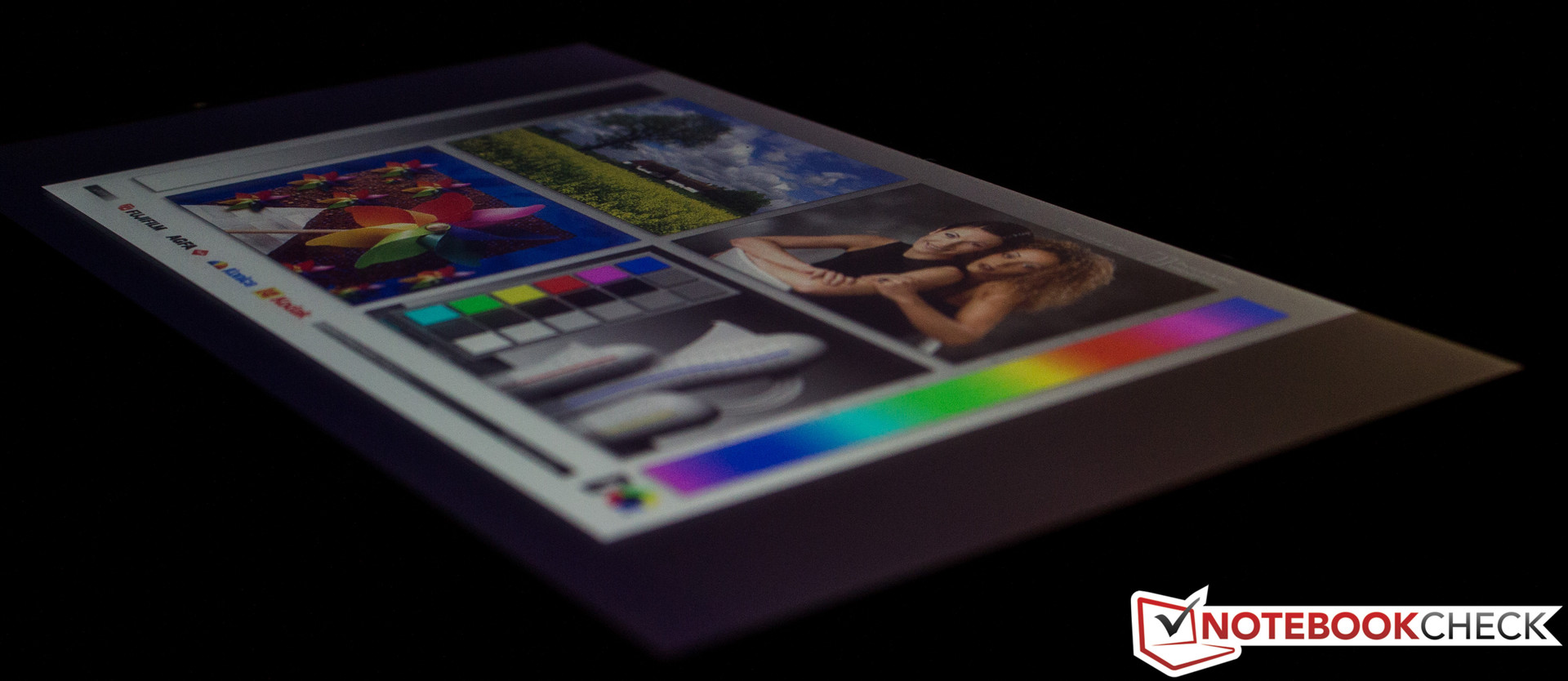
Thanks to the tablet's IPS display, the screen content is visible and correctly rendered from every viewing angle. Happily, we didn't experience the strange phenomenon that occurred with the A1000. As we tested the earlier tablet, we observed that whether the display image was correctly rendered was dependent not only on the user's vertical viewing angle, but on the horizontal as well.
Reflections outdoors.
Viewing angle stability.

Performance

A quad-core SoC from Mediatek drives our 7-inch tablet. This inexpensive model is produced using 28 nm process technology and has 1.2 GHz per core at its command. The Mediatek MT8389 works together with a PowerVR GPU and is supported by 1 GB of working memory. The four A7 processor cores are one of our review device's special features, as they are designed to facilitate a healthy compromise between performance and low energy consumption. This SoC was just used in the IdeaTab S6000 we recently reviewed. Its performance is comparable to that of the Nvidia Tegra 3.
As always, using many different benchmarks, we took a closer look at the A3000's performance. We started once again with the synthetic runtime tests. Our test device put up a good show, especially compared with the competition produced by Lenovo. The A1000's SoC doesn't stand a chance, and because of its higher display resolution, the S6000 struggles too. The Asus Memo Pad HD 7 makes a valiant effort, but comes in behind every time -- though just barely.

Review Lenovo IdeaTab A3000-H Tablet

Daniel Schuster (translated by Ariana Brodsky), 09/25/2013
Dual SIM card tablet. The A3000 is another model in the IdeaTab series. Its distinguishing feature is the dual SIM card function -- a rare find in tablets. The device also has a quad-core SoC from Mediatek. Here’s to hoping that this chip is capable of more performance than the dual-core processor at work in the mediocre IdeaTab A1000.
Ads by Google
New HP® VoiceTab Series - www.hp.com/in/voicetab
With voice calling, Android 4.2.2, 3G, Dual SIM & more. Know more!
New Samsung Tab 3 Neo - www.samsung.com/in/GalaxyTab3Neo/
Now Experience incredible grip & superior performance on the go!
For the original German review, see here.
With the IdeaTab A3000, Lenovo tosses another 7-inch tablet onto the market. We recently thoroughly tested the IdeaTab A1000 (also 7-inches) and found it to be generally unimpressive. The device currently up for review is once again an entry-level model, just like the A1000. The A3000 has a considerably higher recommended retail price (199 Euros, ~$270), but it also received a fairly extensive makeover. For instance, the tablet now has a receiver for wireless internet at UMTS speed and has a quad-core SoC at its command. Lenovo also enhanced the back side of their device with a 5 MP camera.
Are these updates enough to change our overall assessment of the device and convince us to recommend it for purchase? Find out in the following review.

Case

The SIM slots are under the battery lid.
From a distance, the A3000 and the A1000 look very similar -- especially when you look at the front side. If you inspect the two 7-inch devices more closely, you notice a few small differences. For instance, the speaker at the top of the tablet is a little shorter lengthwise. On the back side, however, we see something exceedingly rare in a tablet: The back cover can be completely removed, providing direct access to the battery, micro SD card slot and the two SIM slots. Even though the battery is so easily visible, it's still screwed in and covered with a seal, so it can't be simply removed. Like the whole case, the back cover is made of plastic. All in all, the tablet feels about as stable as the A1000, probably partly because its size is almost identical (194 x 120 x 11 mm; ~7.64 x 4.72 x 0.43 inches).  At 339 grams (~0.75 pounds), the A3000 only weighs a tiny bit less. As a result, the two tablets can't be easily distinguished by their size or weight. The A3000's structured and textured battery lid, which stands in contrast to the rest of back case, is the main feature that gives the new device a high-quality look compared to its cheaper counterpart.

Connectivity

In terms of the tablet's external connectivity features, nothing has changed. The audio jack is still on the top of the device, along with the power button and the micro USB port. There are neither keys nor ports on the bottom and left sides of the tablet. The only feature located on the right side is the volume rocker.
The micro SD card slot enables the user to expand on the 16 GB of internal memory. In our IdeaTab A1000 review, we expressed dissatisfaction with the poorly partitioned internal memory -- of the system memory, only 1.49 GB remained open for downloaded apps. Lenovo eliminated this problem in the A3000. The tablet now has only one (visible) partition with 13.08 GB of free space that can be crammed full with apps and games.
No connections on the bottom side.
The volume rocker is located on the left.
Top side: 3.5 mm jack, Micro USB port, power button.
The left side is free of connections and keys.

Software

The software Lenovo selected for their new device is Google's Android version 4.2 (Jelly Bean). As was true of the IdeaTab S6000 and A1000 we reviewed, the interface is very reminiscent of the barely modified versions that run on the Google Nexus 4, for example. The developers only made minor adaptations to the system settings, just like we saw with the S6000 and A1000.
Good reception, even indoors.

Communication & GPS 

A main feature of the A3000 is its built-in UMTS module with dual SIM function. The two SIM card slots (normal size) are located above the battery and easily accessible via the removable back cover. There is one big difference between the two slots: Slot 1 is capable of establishing a UMTS connection, whereas slot 2 can only make a phone connection. If both SIM cards are installed, in the system settings the user can select which card should be responsible for which function (receiving SMSs, taking calls). Within the user's home network, the tablet generally establishes internet connections via the WLAN module. This module transmits according to the standard 802.11 b/g/n. The reception range is similar to that of the A1000 -- not great. The device can struggle with a connection even when the wireless router is located on the same floor. But this problem isn't as dire as it was with the A1000, since the A3000 switches directly to the cellular network and sustains that connection well. To transmit data over short distances, the A3000 has Bluetooth 4.0 at its command.
Even though we activated the GPS module indoors on a very cloudy day, the module quickly established a connection with enough satellites to determine our location -- with reasonable accuracy. We didn't experience a single unexpected break in the connection at any point in our test.

Cameras & Multimedia

Above the removable back cover, you'll find the 5 MP main camera. The sensor on the front side of the device, however, has a resolution of a meager 0.3 MP and is primarily intended for video calls. Neither camera supports an LED flash.
When capturing images indoors, the main camera's small sensor quickly reaches its limits. As soon as the ambient light grows dim, the pictures instantaneously lose their sharpness. Outdoors the camera's snapshots are much, much better. The level of detail is decent and the colors match those from our reference camera fairly well.
Main camera: 5 MP
Main camera: 5 MP
Main camera: 5 MP
Main camera: 5 MP
Reference camera: Canon EOS 60D, 18 MP, Automatic

Accessories & Warranty

The packaging contains nothing spectacular. Alongside the tablet, all you'll find is a modular power supply and a paper quick-start guide.
Like the other models, the A3000 has a 12 month warranty for the main device. The battery is under warranty for 6 months.

Input Devices & Operation

When it comes to the tablet's reaction time and display accuracy, we have little to complain about. The only minor issue is the gyro sensor, which ideally would take a little less time to rotate the display image by 90° or 180°. The capacitive display can interpret input from up to five fingers simultaneously.

Display

IPS panel, but low resolution.
With the A3000, Lenovo brings a 7-inch tablet to the market that possesses an IPS display with stable viewing angles. Unfortunately, like its cheaper sibling, the display's resolution is still a meager 1024x600 pixels. Using the display size and resolution, we calculate a pixel density of about 170 PPI. To draw a helpful comparison: With the same diagonal display measurements, the current Nexus 7 2013 reaches a pixel density of 323 PPI -- thanks to its Full HD resolution.
At 398 cd/m², the tablet's display's brightest area is in the center of the screen. The average brightness comes to 362.2 cd/m² and is 85% similar across the screen. The display's acceptable black value (0.49 cd/m²) is responsible for the screen's satisfactory contrast of 812:1.


367
cd/m²
359
cd/m²
347
cd/m²


366
cd/m²
398
cd/m²
361
cd/m²


347
cd/m²
378
cd/m²
337
cd/m²


Information
X-Rite i1Pro 2
Maximum: 398 cd/m²
Average: 362.2 cd/m²
Brightness Distribution: 85 %
Center on Battery: 398 cd/m²
Black: 0.49 cd/m²
Contrast: 812:1
Distribution of brightness
We used CalMAN 5 software to take a closer look at the display's properties, and discovered that reds and blues are rendered too palely. At 5.6, the average DeltaE 2000 value is too high and is reflected in that some of the colors deviate enough from the ideal that they can also be evaluated as another color. The dark gray tones in the grayscale approach the ideal values, but the lighter the gray, the bigger the DeltaE deviation from the target value.
Color reproduction
Color reproduction
ColorChecker
ColorChecker
Grayscale reproduction
Color saturation
Color saturation
Because the display's contrast is satisfactory and its average brightness is high, the tablet does well outdoors. As long as the sun's rays aren't directly hitting the screen, the display content is easily visible. This is especially true if you occasionally clean residual fingerprints off the screen and cover it with a matte screen protector.
Thanks to the tablet's IPS display, the screen content is visible and correctly rendered from every viewing angle. Happily, we didn't experience the strange phenomenon that occurred with the A1000. As we tested the earlier tablet, we observed that whether the display image was correctly rendered was dependent not only on the user's vertical viewing angle, but on the horizontal as well.
Reflections outdoors.
Viewing angle stability.

Performance

A quad-core SoC from Mediatek drives our 7-inch tablet. This inexpensive model is produced using 28 nm process technology and has 1.2 GHz per core at its command. The Mediatek MT8389 works together with a PowerVR GPU and is supported by 1 GB of working memory. The four A7 processor cores are one of our review device's special features, as they are designed to facilitate a healthy compromise between performance and low energy consumption. This SoC was just used in the IdeaTab S6000 we recently reviewed. Its performance is comparable to that of the Nvidia Tegra 3.
As always, using many different benchmarks, we took a closer look at the A3000's performance. We started once again with the synthetic runtime tests. Our test device put up a good show, especially compared with the competition produced by Lenovo. The A1000's SoC doesn't stand a chance, and because of its higher display resolution, the S6000 struggles too. The Asus Memo Pad HD 7 makes a valiant effort, but comes in behind every time -- though just barely.