Review Lenovo IdeaTab A3000-H Table
BY ABHISHEK GUPTA, 09/25/2013
Dual SIM card tablet.
The A3000 is another model in the IdeaTab series. Its distinguishing
feature is the dual SIM card function -- a rare find in tablets. The
device also has a quad-core SoC from Mediatek. Here’s to hoping that
this chip is capable of more performance than the dual-core processor at
work in the mediocre IdeaTab A1000.
Ads by Google
New HP® VoiceTab Series - www.hp.com/in/voicetab
With voice calling, Android 4.2.2, 3G, Dual SIM & more. Know more!
New HP® VoiceTab Series - www.hp.com/in/voicetab
With voice calling, Android 4.2.2, 3G, Dual SIM & more. Know more!
New Samsung Tab 3 Neo - www.samsung.com/in/GalaxyTab3Neo/
Now Experience incredible grip & superior performance on the go!
Now Experience incredible grip & superior performance on the go!

For the original German review, see here.
With the IdeaTab A3000, Lenovo tosses another 7-inch tablet onto the market. We recently thoroughly tested the IdeaTab A1000 (also
7-inches) and found it to be generally unimpressive. The device
currently up for review is once again an entry-level model, just like
the A1000. The A3000 has a considerably higher recommended retail price (199 Euros,
~$270), but it also received a fairly extensive makeover. For instance,
the tablet now has a receiver for wireless internet at UMTS speed and
has a quad-core SoC at its command. Lenovo also enhanced the back side of their device with a 5 MP camera.
Are these
updates enough to change our overall assessment of the device and
convince us to recommend it for purchase? Find out in the following
review.

Case
 |
From a distance, the A3000 and the A1000 look
very similar -- especially when you look at the front side. If you
inspect the two 7-inch devices more closely, you notice a few small
differences. For instance, the speaker at the top of the tablet is a
little shorter lengthwise. On the back side, however, we see something
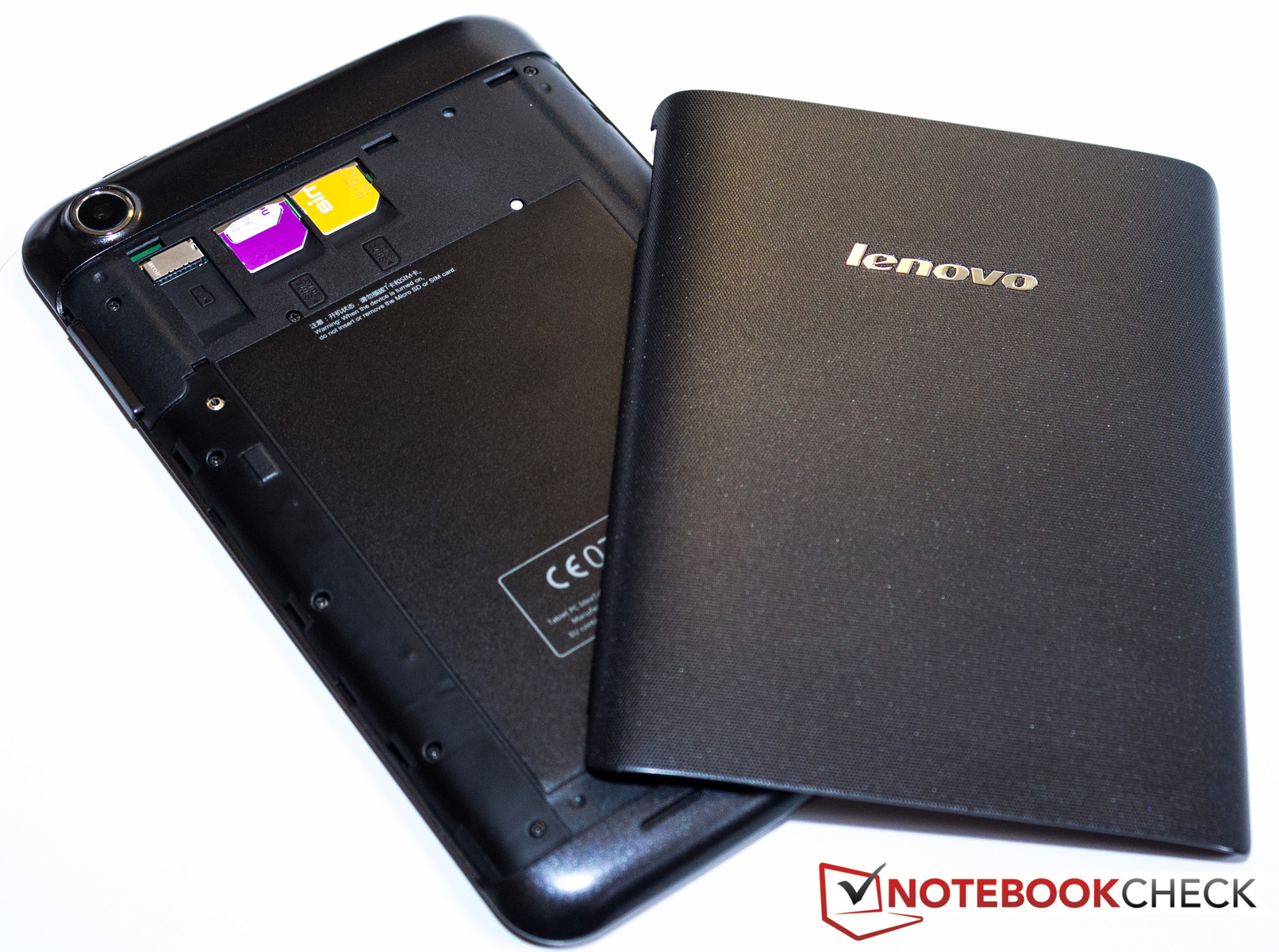
exceedingly rare in a tablet: The back cover can be completely removed,
providing direct access to the battery, micro SD card slot and the two SIM slots.
Even though the battery is so easily visible, it's still screwed in and
covered with a seal, so it can't be simply removed. Like the whole
case, the back cover is made of plastic. All in all, the tablet feels
about as stable as the A1000, probably partly because its size is almost identical (194 x 120 x 11 mm;
~7.64 x 4.72 x 0.43 inches). At 339 grams (~0.75 pounds), the A3000
only weighs a tiny bit less. As a result, the two tablets can't be
easily distinguished by their size or weight. The A3000's structured and
textured battery lid, which stands in contrast to the rest of back
case, is the main feature that gives the new device a high-quality look
compared to its cheaper counterpart.
Connectivity
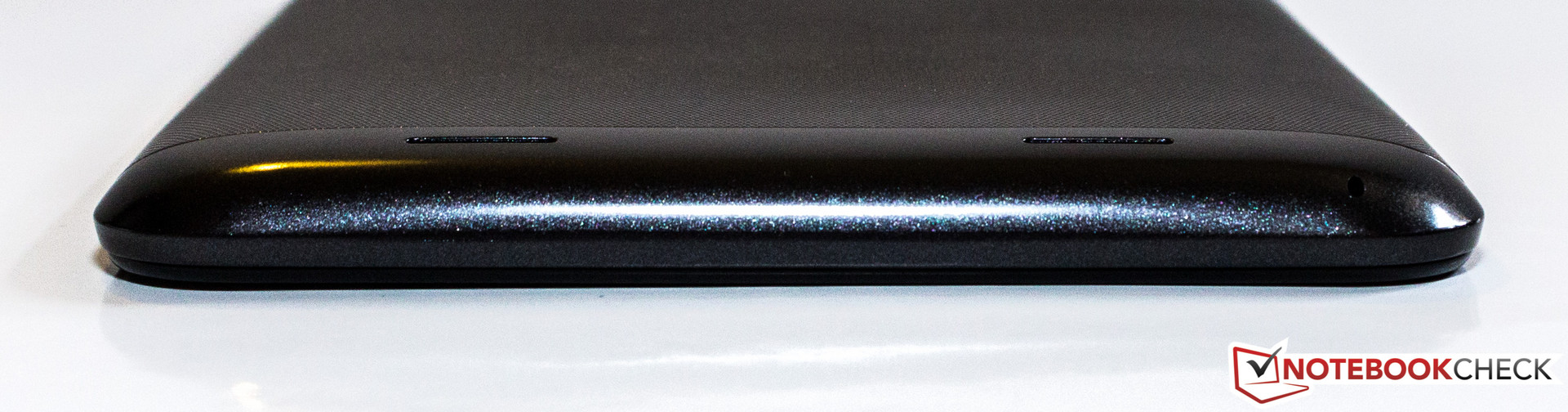
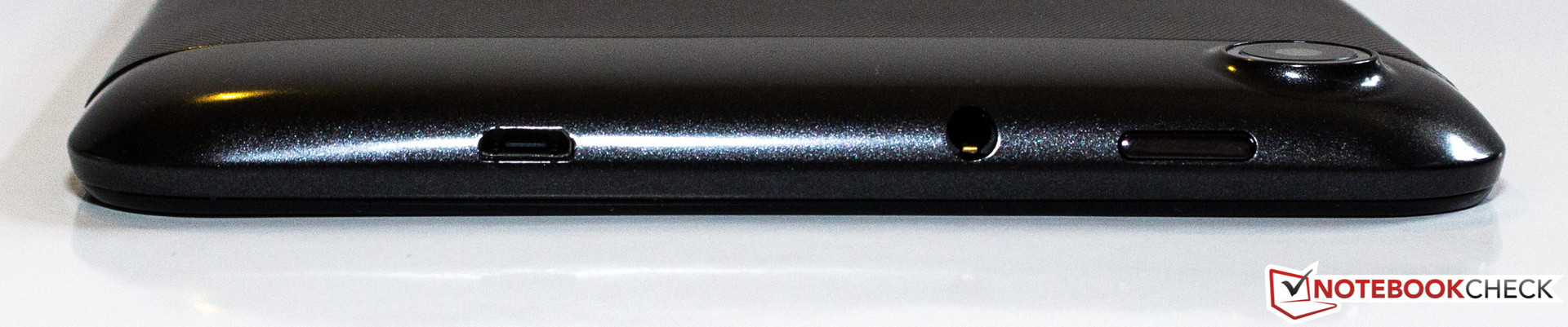
In terms of the tablet's external connectivity features, nothing has changed.
The audio jack is still on the top of the device, along with the power
button and the micro USB port. There are neither keys nor ports on the
bottom and left sides of the tablet. The only feature located on the
right side is the volume rocker.
The micro SD card slot enables the user to expand on the 16 GB of internal memory. In our IdeaTab A1000 review,
we expressed dissatisfaction with the poorly partitioned internal
memory -- of the system memory, only 1.49 GB remained open for
downloaded apps. Lenovo eliminated this problem in the A3000. The tablet
now has only one (visible) partition with 13.08 GB of free space that can be crammed full with apps and games.
 |
 |
 |
 |
Software
The software Lenovo selected for their new device is Google's Android version 4.2 (Jelly Bean). As was true of the IdeaTab S6000 and A1000 we reviewed, the interface is very reminiscent of the barely modified versions that run on the Google Nexus 4, for example. The developers only made minor adaptations to the system settings, just like we saw with the S6000 and A1000.
 |
Communication & GPS
A main feature of the A3000 is its built-in UMTS module with dual SIM function.
The two SIM card slots (normal size) are located above the battery and
easily accessible via the removable back cover. There is one big
difference between the two slots: Slot 1 is capable of establishing a
UMTS connection, whereas slot 2 can only make a phone connection. If
both SIM cards are installed, in the system settings the user can select
which card should be responsible for which function (receiving SMSs,
taking calls). Within the user's home network, the tablet generally
establishes internet connections via the WLAN module. This module transmits according to the standard 802.11 b/g/n. The reception range is similar to that of the A1000 --
not great. The device can struggle with a connection even when the
wireless router is located on the same floor. But this problem isn't as
dire as it was with the A1000, since
the A3000 switches directly to the cellular network and sustains that
connection well. To transmit data over short distances, the A3000 has Bluetooth 4.0 at its command.
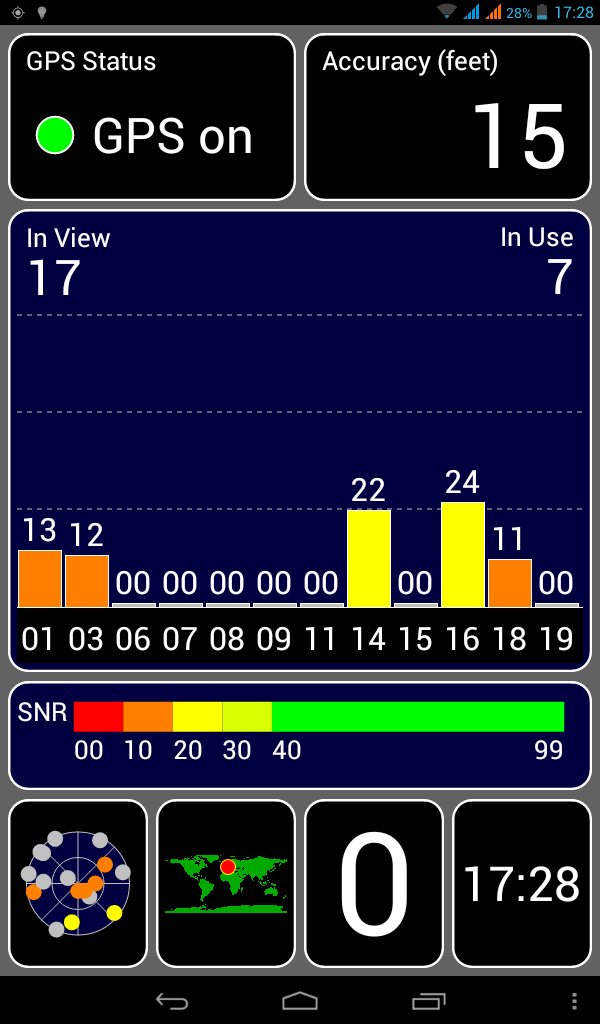
Even though we activated the GPS module
indoors on a very cloudy day, the module quickly established a
connection with enough satellites to determine our location -- with
reasonable accuracy. We didn't experience a single unexpected break in
the connection at any point in our test.
Cameras & Multimedia
Above the removable back cover, you'll find the 5 MP main camera.
The sensor on the front side of the device, however, has a resolution
of a meager 0.3 MP and is primarily intended for video calls. Neither
camera supports an LED flash.
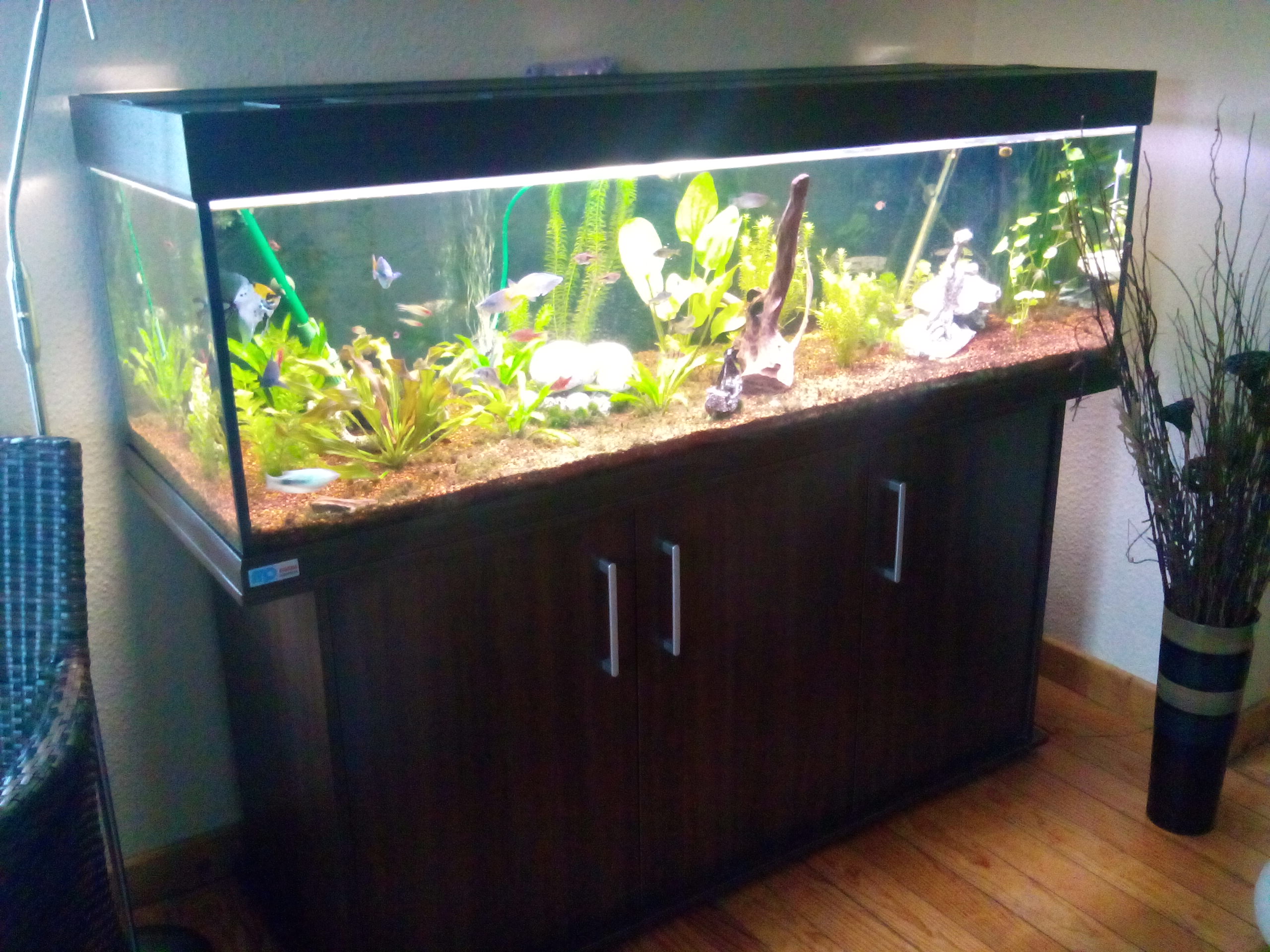
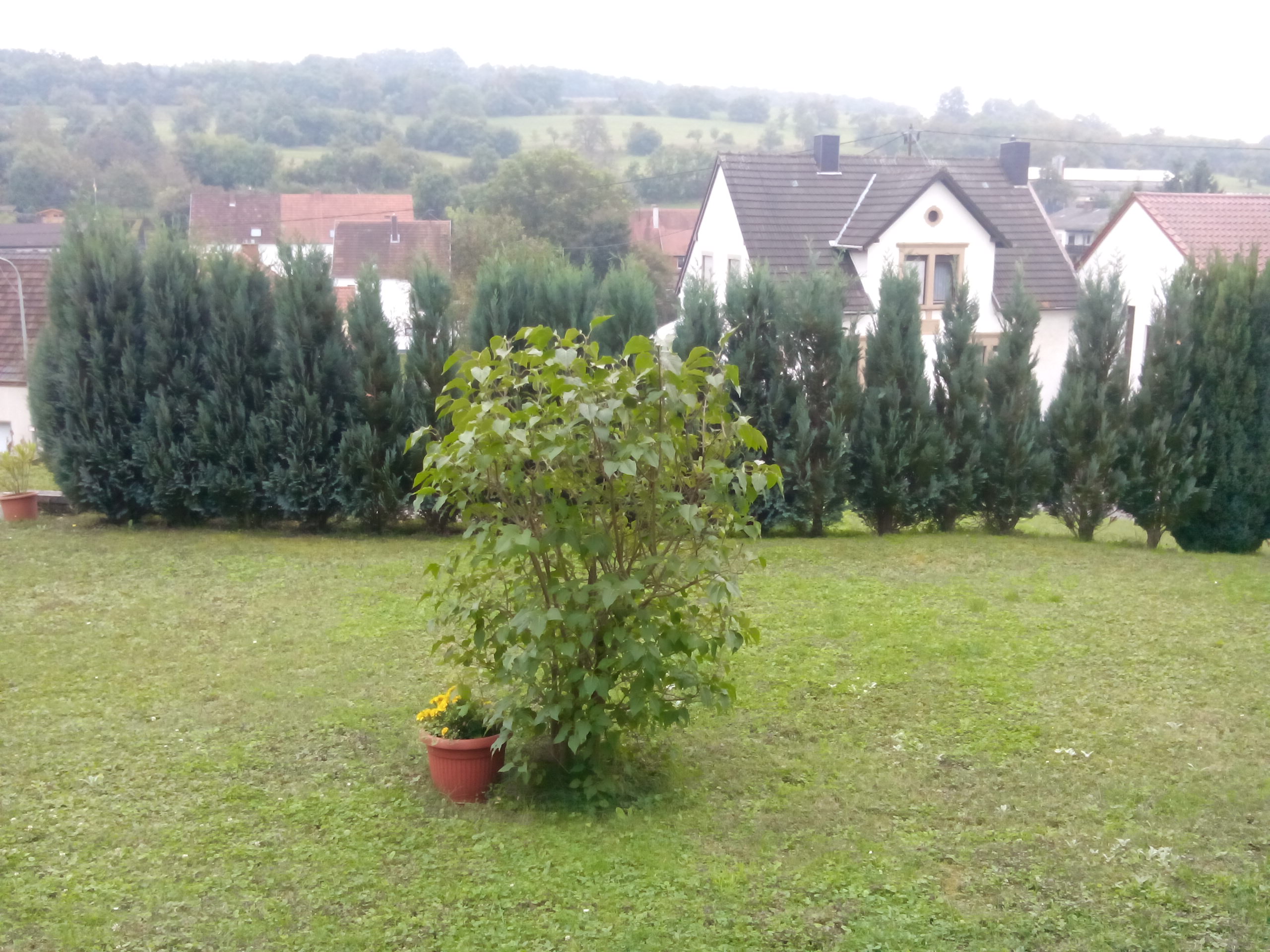
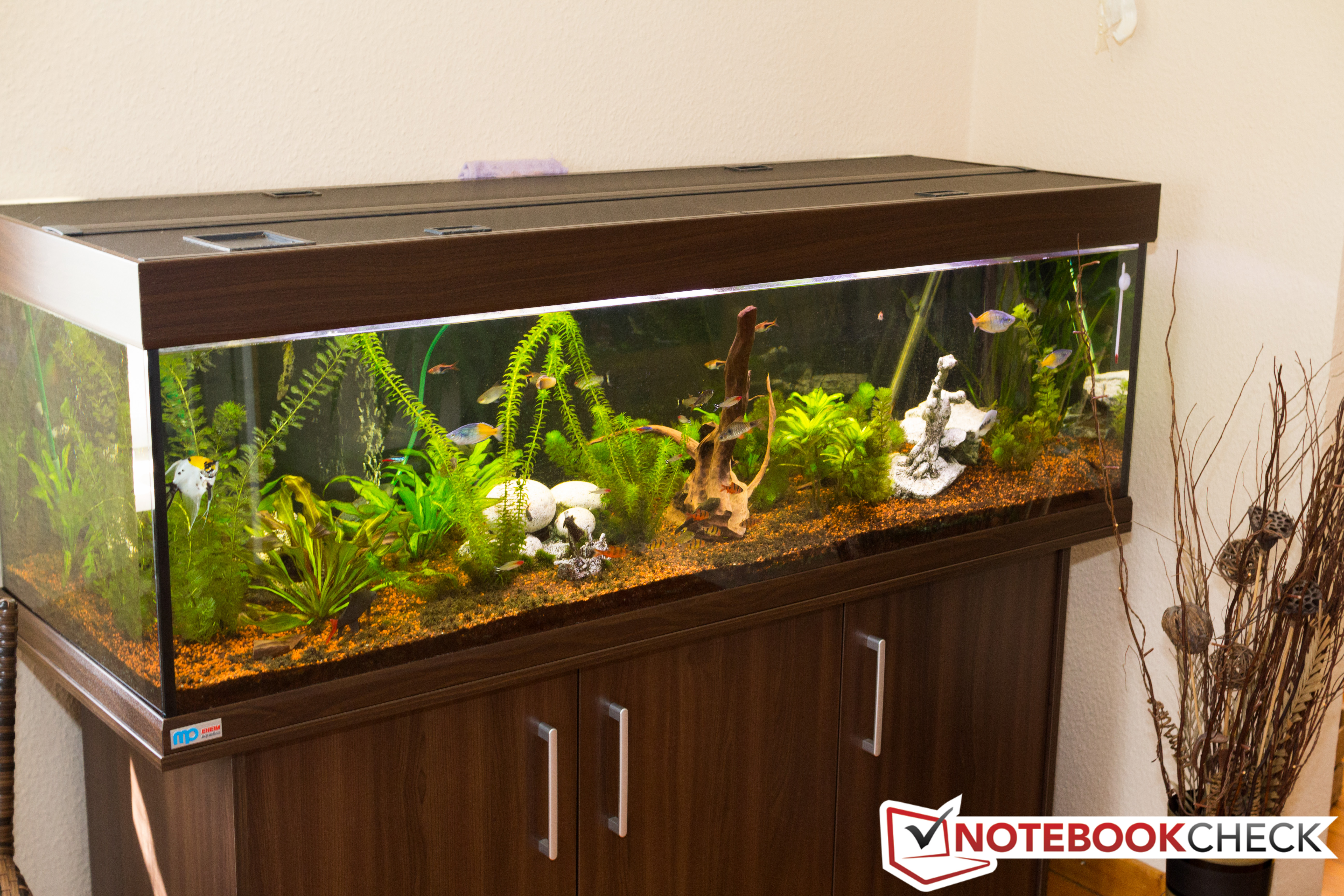
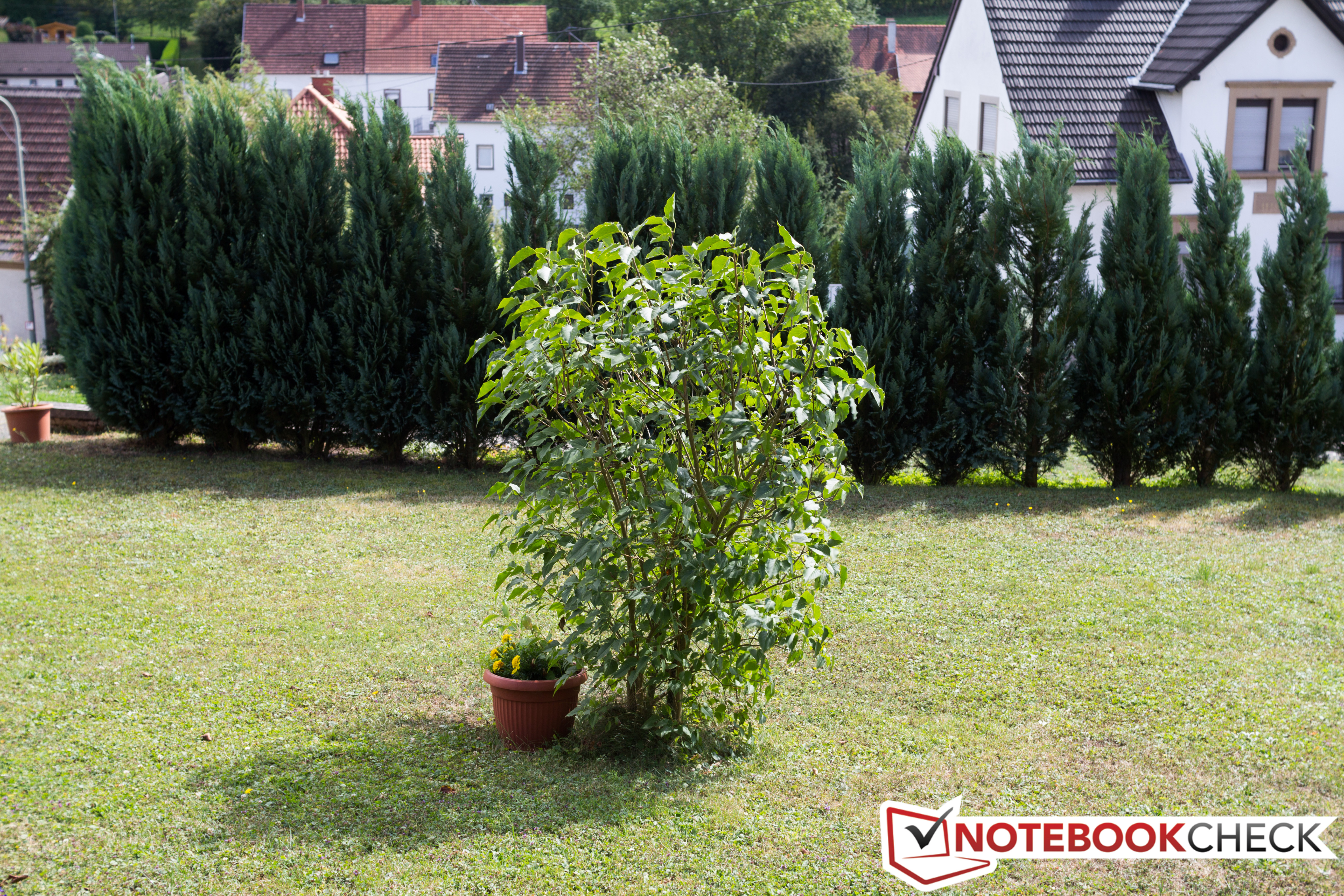
When capturing
images indoors, the main camera's small sensor quickly reaches its
limits. As soon as the ambient light grows dim, the pictures instantaneously lose their sharpness. Outdoors the camera's snapshots are much, much better. The level of detail is decent and the colors match those from our reference camera fairly well.
 |
 |
 |
 |
Accessories & Warranty
The packaging contains nothing spectacular. Alongside the tablet, all you'll find is a modular power supply and a paper quick-start guide.
Like the other models, the A3000 has a 12 month warranty for the main device. The battery is under warranty for 6 months.
Input Devices & Operation
When
it comes to the tablet's reaction time and display accuracy, we have
little to complain about. The only minor issue is the gyro sensor, which
ideally would take a little less time to rotate the display image by
90° or 180°. The capacitive display can interpret input from up to five fingers simultaneously.
Display
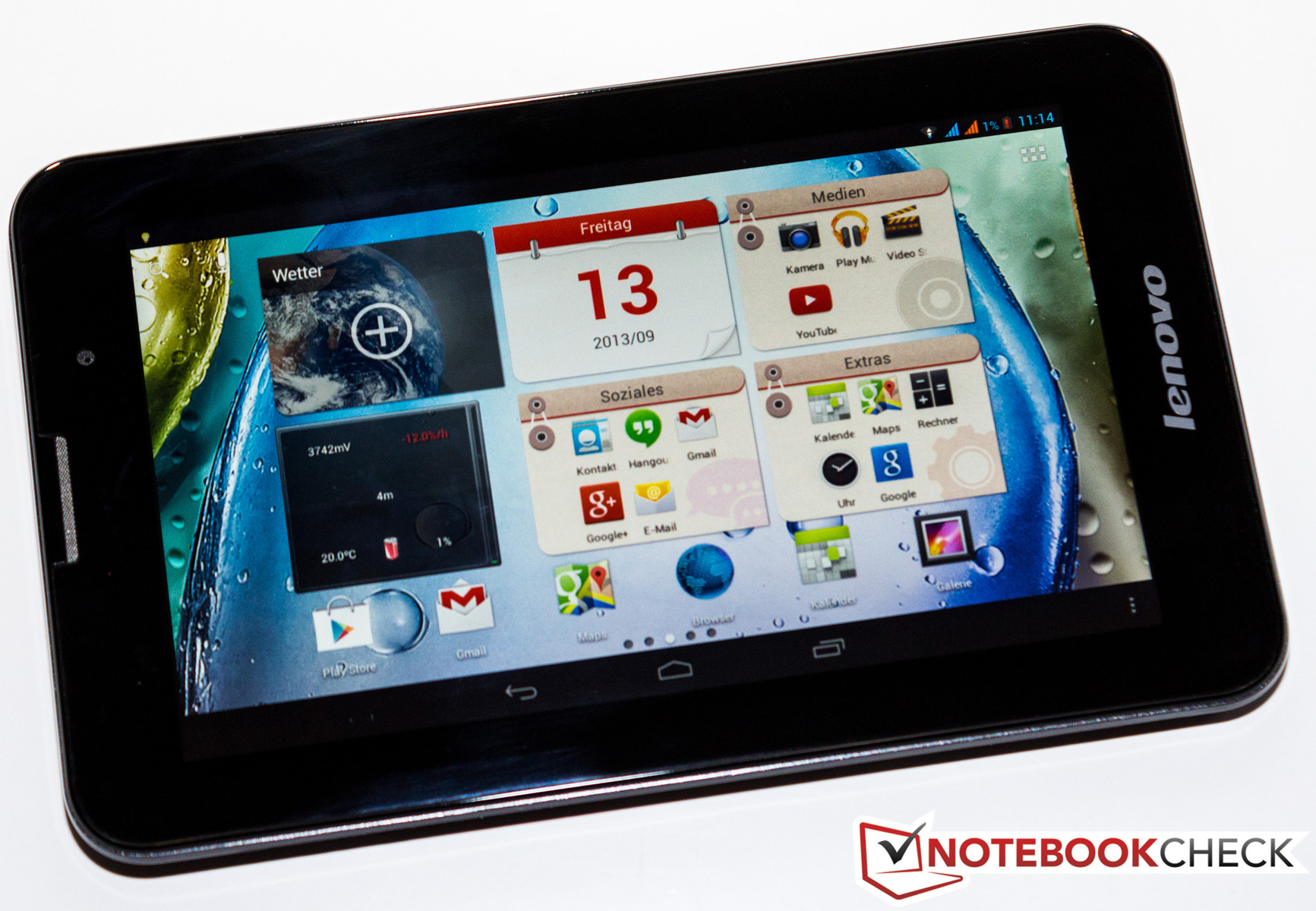 |
With the A3000, Lenovo brings a 7-inch tablet to the market that possesses an IPS display with stable viewing angles. Unfortunately, like its cheaper sibling, the display's resolution is still a meager 1024x600 pixels.
Using the display size and resolution, we calculate a pixel density of
about 170 PPI. To draw a helpful comparison: With the same diagonal
display measurements, the current Nexus 7 2013 reaches a pixel density of 323 PPI -- thanks to its Full HD resolution.
At 398 cd/m², the tablet's display's brightest area is in the center of the screen. The average brightness comes to 362.2 cd/m² and is 85% similar across the screen. The display's acceptable black value (0.49 cd/m²) is responsible for the screen's satisfactory contrast of 812:1.
|
Information
X-Rite i1Pro 2
Maximum: 398 cd/m²Average: 362.2 cd/m² Brightness Distribution: 85 % Center on Battery: 398 cd/m² Black: 0.49 cd/m² Contrast: 812:1 | |||||||||||||||||||||||||
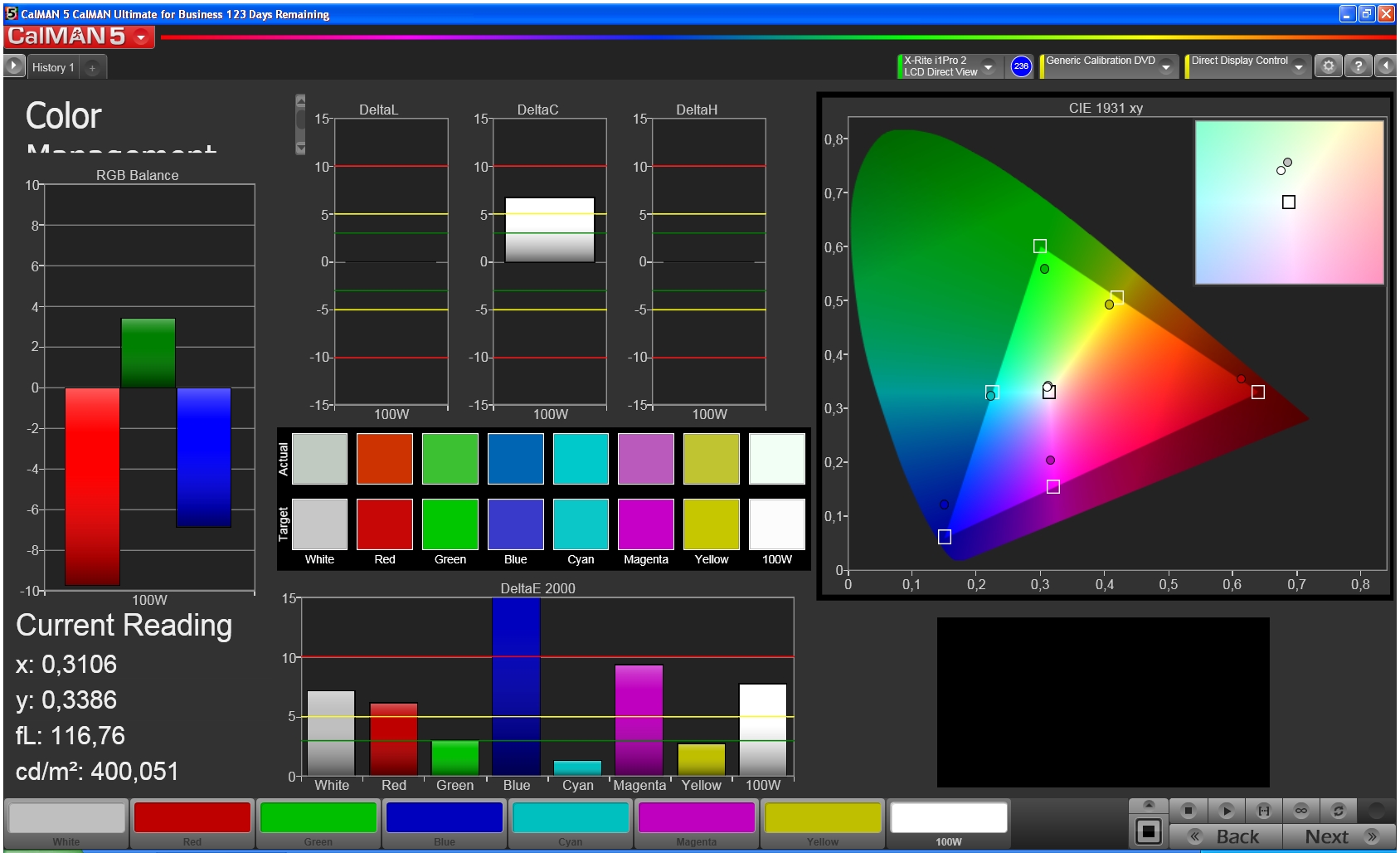
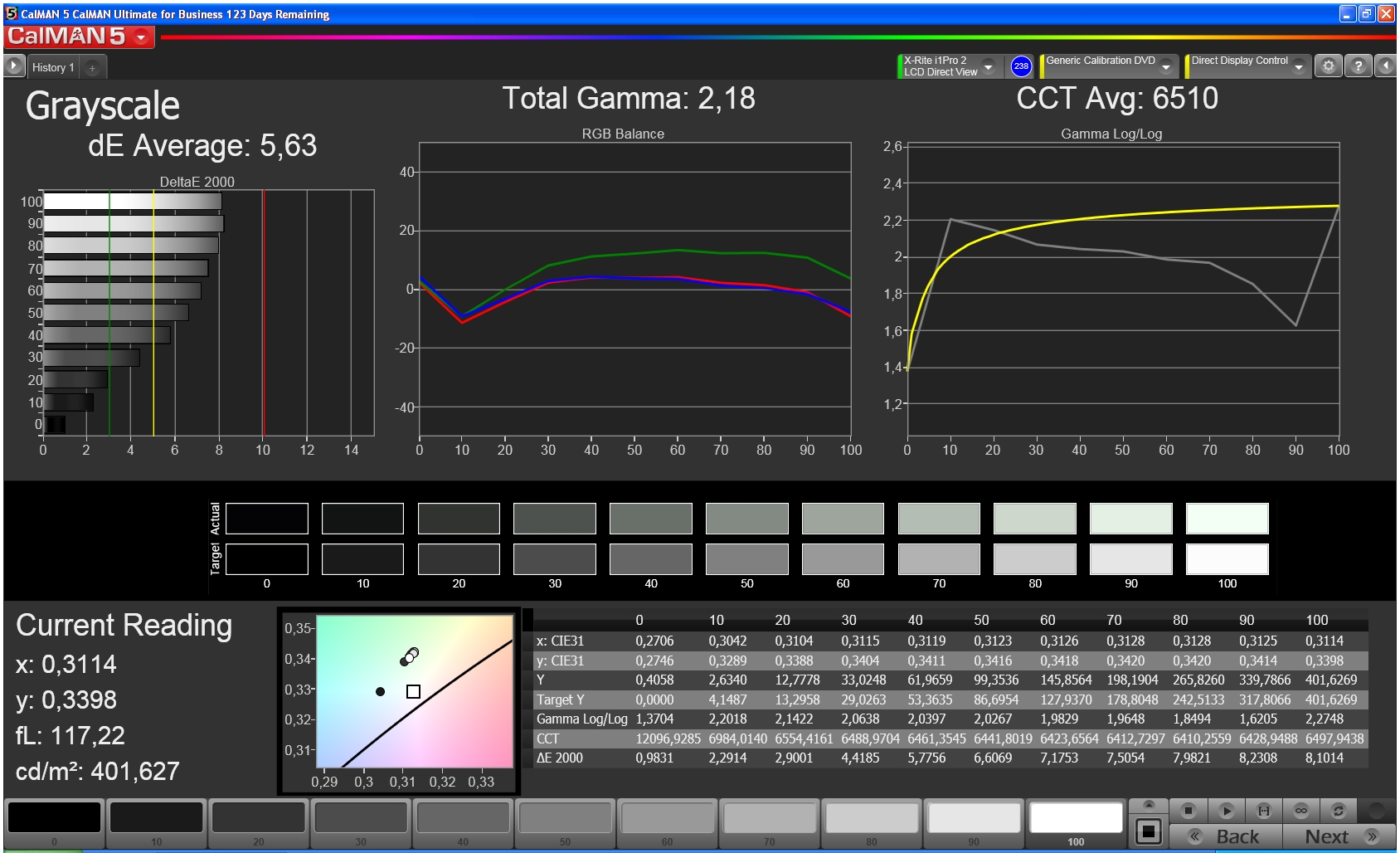
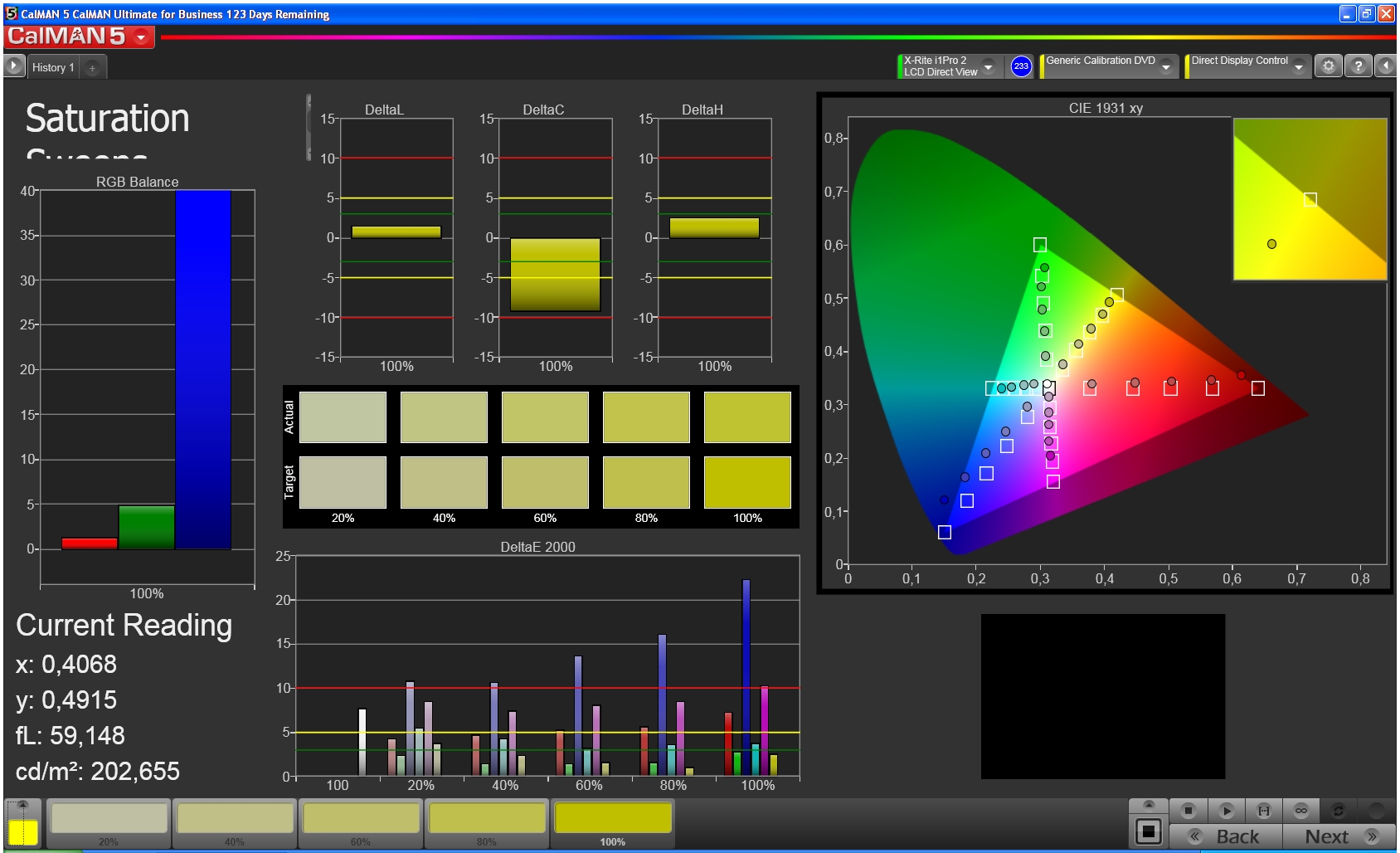
We used CalMAN 5 software to take a closer look at the display's properties, and discovered that reds and blues are rendered too palely.
At 5.6, the average DeltaE 2000 value is too high and is reflected in
that some of the colors deviate enough from the ideal that they can also
be evaluated as another color. The dark gray tones in the grayscale approach the ideal values, but the lighter the gray, the bigger the DeltaE deviation from the target value.
 |
 |
 |
 |
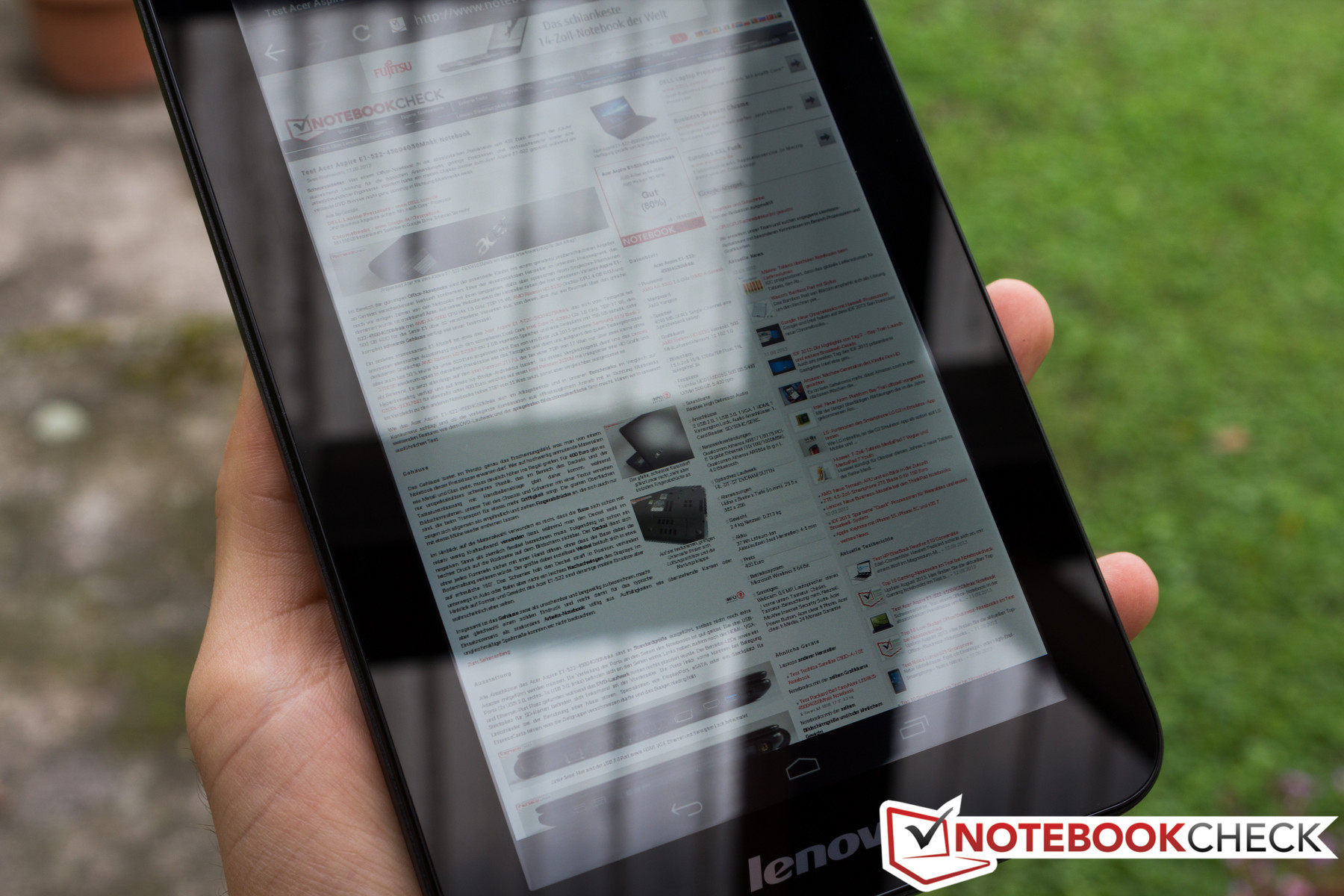
Because the display's contrast is satisfactory and its average brightness is high, the tablet does well outdoors.
As long as the sun's rays aren't directly hitting the screen, the
display content is easily visible. This is especially true if you
occasionally clean residual fingerprints off the screen and cover it
with a matte screen protector.
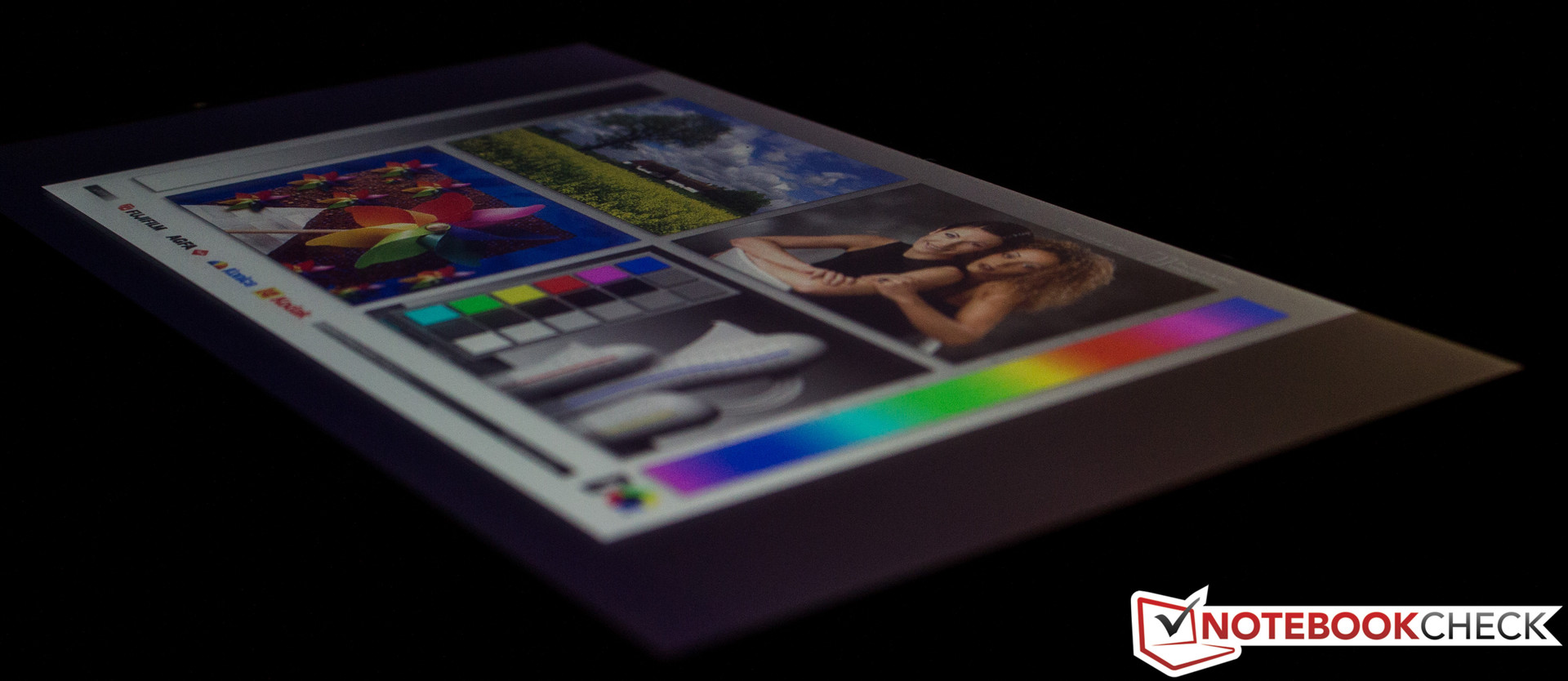
Thanks to the tablet's IPS display, the screen content is visible and correctly rendered from every viewing angle. Happily, we didn't experience the strange phenomenon that occurred with the A1000. As
we tested the earlier tablet, we observed that whether the display
image was correctly rendered was dependent not only on the user's
vertical viewing angle, but on the horizontal as well.
 |
 |
Performance
A quad-core SoC
from Mediatek drives our 7-inch tablet. This inexpensive model is
produced using 28 nm process technology and has 1.2 GHz per core at its
command. The Mediatek MT8389 works together with a PowerVR GPU and is supported by 1 GB of working memory.
The four A7 processor cores are one of our review device's special
features, as they are designed to facilitate a healthy compromise
between performance and low energy consumption. This SoC was just used
in the IdeaTab S6000 we recently reviewed. Its performance is comparable to that of the Nvidia Tegra 3.
As always, using
many different benchmarks, we took a closer look at the A3000's
performance. We started once again with the synthetic runtime tests. Our
test device put up a good show, especially compared with the
competition produced by Lenovo. The A1000's SoC doesn't stand a chance, and because of its higher display resolution, the S6000 struggles too. The Asus Memo Pad HD 7 makes a valiant effort, but comes in behind every time -- though just barely.
Review Lenovo IdeaTab A3000-H Tablet
Daniel Schuster (translated by Ariana Brodsky), 09/25/2013
Dual SIM card tablet.
The A3000 is another model in the IdeaTab series. Its distinguishing
feature is the dual SIM card function -- a rare find in tablets. The
device also has a quad-core SoC from Mediatek. Here’s to hoping that
this chip is capable of more performance than the dual-core processor at
work in the mediocre IdeaTab A1000.
Ads by Google
New HP® VoiceTab Series - www.hp.com/in/voicetab
With voice calling, Android 4.2.2, 3G, Dual SIM & more. Know more!
New HP® VoiceTab Series - www.hp.com/in/voicetab
With voice calling, Android 4.2.2, 3G, Dual SIM & more. Know more!
New Samsung Tab 3 Neo - www.samsung.com/in/GalaxyTab3Neo/
Now Experience incredible grip & superior performance on the go!
Now Experience incredible grip & superior performance on the go!
For the original German review, see here.
With the IdeaTab A3000, Lenovo tosses another 7-inch tablet onto the market. We recently thoroughly tested the IdeaTab A1000 (also
7-inches) and found it to be generally unimpressive. The device
currently up for review is once again an entry-level model, just like
the A1000. The A3000 has a considerably higher recommended retail price (199 Euros,
~$270), but it also received a fairly extensive makeover. For instance,
the tablet now has a receiver for wireless internet at UMTS speed and
has a quad-core SoC at its command. Lenovo also enhanced the back side of their device with a 5 MP camera.
Are these
updates enough to change our overall assessment of the device and
convince us to recommend it for purchase? Find out in the following
review.
Case
|
From a distance, the A3000 and the A1000 look
very similar -- especially when you look at the front side. If you
inspect the two 7-inch devices more closely, you notice a few small
differences. For instance, the speaker at the top of the tablet is a
little shorter lengthwise. On the back side, however, we see something
exceedingly rare in a tablet: The back cover can be completely removed,
providing direct access to the battery, micro SD card slot and the two SIM slots.
Even though the battery is so easily visible, it's still screwed in and
covered with a seal, so it can't be simply removed. Like the whole
case, the back cover is made of plastic. All in all, the tablet feels
about as stable as the A1000, probably partly because its size is almost identical (194 x 120 x 11 mm;
~7.64 x 4.72 x 0.43 inches). At 339 grams (~0.75 pounds), the A3000
only weighs a tiny bit less. As a result, the two tablets can't be
easily distinguished by their size or weight. The A3000's structured and
textured battery lid, which stands in contrast to the rest of back
case, is the main feature that gives the new device a high-quality look
compared to its cheaper counterpart.
Connectivity
In terms of the tablet's external connectivity features, nothing has changed.
The audio jack is still on the top of the device, along with the power
button and the micro USB port. There are neither keys nor ports on the
bottom and left sides of the tablet. The only feature located on the
right side is the volume rocker.
The micro SD card slot enables the user to expand on the 16 GB of internal memory. In our IdeaTab A1000 review,
we expressed dissatisfaction with the poorly partitioned internal
memory -- of the system memory, only 1.49 GB remained open for
downloaded apps. Lenovo eliminated this problem in the A3000. The tablet
now has only one (visible) partition with 13.08 GB of free space that can be crammed full with apps and games.
|
|
|
|
Software
The software Lenovo selected for their new device is Google's Android version 4.2 (Jelly Bean). As was true of the IdeaTab S6000 and A1000 we reviewed, the interface is very reminiscent of the barely modified versions that run on the Google Nexus 4, for example. The developers only made minor adaptations to the system settings, just like we saw with the S6000 and A1000.
|
Communication & GPS
A main feature of the A3000 is its built-in UMTS module with dual SIM function.
The two SIM card slots (normal size) are located above the battery and
easily accessible via the removable back cover. There is one big
difference between the two slots: Slot 1 is capable of establishing a
UMTS connection, whereas slot 2 can only make a phone connection. If
both SIM cards are installed, in the system settings the user can select
which card should be responsible for which function (receiving SMSs,
taking calls). Within the user's home network, the tablet generally
establishes internet connections via the WLAN module. This module transmits according to the standard 802.11 b/g/n. The reception range is similar to that of the A1000 --
not great. The device can struggle with a connection even when the
wireless router is located on the same floor. But this problem isn't as
dire as it was with the A1000, since
the A3000 switches directly to the cellular network and sustains that
connection well. To transmit data over short distances, the A3000 has Bluetooth 4.0 at its command.
Even though we activated the GPS module
indoors on a very cloudy day, the module quickly established a
connection with enough satellites to determine our location -- with
reasonable accuracy. We didn't experience a single unexpected break in
the connection at any point in our test.
Cameras & Multimedia
Above the removable back cover, you'll find the 5 MP main camera.
The sensor on the front side of the device, however, has a resolution
of a meager 0.3 MP and is primarily intended for video calls. Neither
camera supports an LED flash.
When capturing
images indoors, the main camera's small sensor quickly reaches its
limits. As soon as the ambient light grows dim, the pictures instantaneously lose their sharpness. Outdoors the camera's snapshots are much, much better. The level of detail is decent and the colors match those from our reference camera fairly well.
|
|
|
|
Accessories & Warranty
The packaging contains nothing spectacular. Alongside the tablet, all you'll find is a modular power supply and a paper quick-start guide.
Like the other models, the A3000 has a 12 month warranty for the main device. The battery is under warranty for 6 months.
Input Devices & Operation
When
it comes to the tablet's reaction time and display accuracy, we have
little to complain about. The only minor issue is the gyro sensor, which
ideally would take a little less time to rotate the display image by
90° or 180°. The capacitive display can interpret input from up to five fingers simultaneously.
Display
|
With the A3000, Lenovo brings a 7-inch tablet to the market that possesses an IPS display with stable viewing angles. Unfortunately, like its cheaper sibling, the display's resolution is still a meager 1024x600 pixels.
Using the display size and resolution, we calculate a pixel density of
about 170 PPI. To draw a helpful comparison: With the same diagonal
display measurements, the current Nexus 7 2013 reaches a pixel density of 323 PPI -- thanks to its Full HD resolution.
At 398 cd/m², the tablet's display's brightest area is in the center of the screen. The average brightness comes to 362.2 cd/m² and is 85% similar across the screen. The display's acceptable black value (0.49 cd/m²) is responsible for the screen's satisfactory contrast of 812:1.
|
Information
X-Rite i1Pro 2
Maximum: 398 cd/m²Average: 362.2 cd/m² Brightness Distribution: 85 % Center on Battery: 398 cd/m² Black: 0.49 cd/m² Contrast: 812:1 | |||||||||||||||||||||||||
We used CalMAN 5 software to take a closer look at the display's properties, and discovered that reds and blues are rendered too palely.
At 5.6, the average DeltaE 2000 value is too high and is reflected in
that some of the colors deviate enough from the ideal that they can also
be evaluated as another color. The dark gray tones in the grayscale approach the ideal values, but the lighter the gray, the bigger the DeltaE deviation from the target value.
|
|
|
|
Because the display's contrast is satisfactory and its average brightness is high, the tablet does well outdoors.
As long as the sun's rays aren't directly hitting the screen, the
display content is easily visible. This is especially true if you
occasionally clean residual fingerprints off the screen and cover it
with a matte screen protector.
Thanks to the tablet's IPS display, the screen content is visible and correctly rendered from every viewing angle. Happily, we didn't experience the strange phenomenon that occurred with the A1000. As
we tested the earlier tablet, we observed that whether the display
image was correctly rendered was dependent not only on the user's
vertical viewing angle, but on the horizontal as well.
|
|
Performance
A quad-core SoC
from Mediatek drives our 7-inch tablet. This inexpensive model is
produced using 28 nm process technology and has 1.2 GHz per core at its
command. The Mediatek MT8389 works together with a PowerVR GPU and is supported by 1 GB of working memory.
The four A7 processor cores are one of our review device's special
features, as they are designed to facilitate a healthy compromise
between performance and low energy consumption. This SoC was just used
in the IdeaTab S6000 we recently reviewed. Its performance is comparable to that of the Nvidia Tegra 3.
As always, using
many different benchmarks, we took a closer look at the A3000's
performance. We started once again with the synthetic runtime tests. Our
test device put up a good show, especially compared with the
competition produced by Lenovo. The A1000's SoC doesn't stand a chance, and because of its higher display resolution, the S6000 struggles too. The Asus Memo Pad HD 7 makes a valiant effort, but comes in behind every time -- though just barely.


